 Skip to content
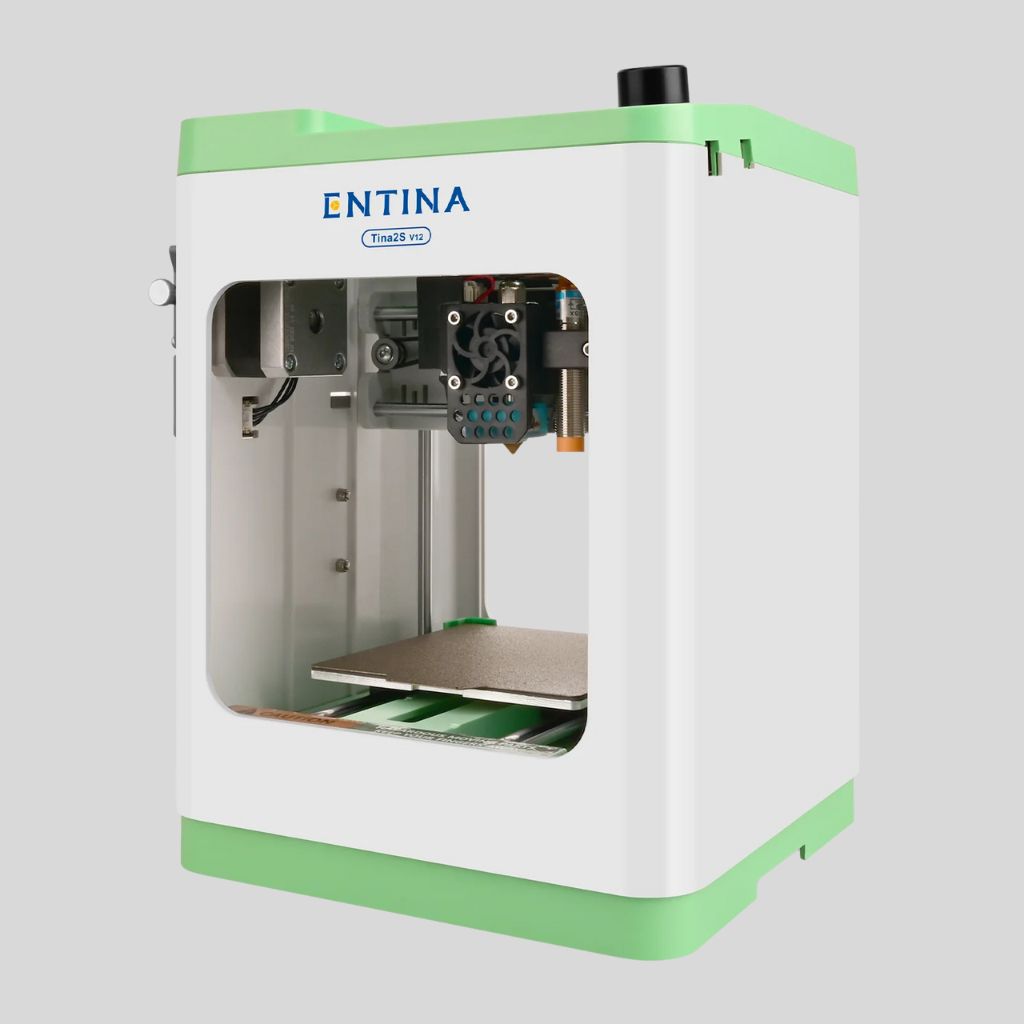
When a newcomer enters the world of 3D printing, the choice often narrows down to highly accessible models. The Entina Tina2S 3D Printer and the Creality Ender 3 (and its modern variants like the V3 SE) represent two distinct philosophies for the beginner market. The choice between them fundamentally comes down to prioritizing plug-and-play simplicity versus build volume and community support.
Tina2S: The Plug-and-Play Simplicity Model
The Tina2S is engineered for the ultimate ease of use, making it ideal for children, students, or users who want zero friction when starting to print.
- Setup Experience: The Entina Tina2S 3D Printer is a fully packaged, Fully Assembled unit. You literally unbox it, plug it in, and can start printing immediately. This zero-setup time is its strongest feature, eliminating the common frustration beginners face with assembly.
- Leveling and Operation: It features Intelligent Auto Leveling, which is a significant quality-of-life improvement. Combined with Wi-Fi Cloud Printing via the Poloprint app, it offers a seamless, smartphone-driven workflow, allowing you to slice and send files without moving a microSD card.
- Form Factor and Environment: The compact, lightweight design (around 6.6 lbs) and Ultra-quiet Printing Environment make it perfect for small desks, classrooms, or shared living spaces where noise and size are concerns.
- Limitation: Its core drawback is the Limited Build Volume (approx. $100 \times 105 \times 100 \text{ mm}$). This size restriction means it’s best suited for small toys, jewelry, tokens, or educational models.
Creality Ender 3 (Modern Variants): The Budget Hobbyist Standard
The Ender 3, particularly modern versions like the V3 SE or V2 Neo, represents a more traditional, tinker-friendly entry point that prioritizes raw capability and flexibility.
- Build Experience: While newer models like the Ender 3 V3 SE are often partially assembled (taking 15-60 minutes to complete), they are not fully ready to print out of the box like the Tina2S. The original Ender 3 required considerable manual assembly, forcing users to learn its mechanics from day one.
- Scale and Capability: The Ender 3 offers a Significantly Larger Build Volume (typically $220 \times 220 \times 250 \text{ mm}$ for most models). This size allows users to print much larger objects, which is a crucial advantage for general hobbyists and makers.
- Community and Upgradability: The Ender 3 series has one of the largest and most active user communities in 3D printing. This means troubleshooting, tutorials, and a massive range of Upgrades and Mods are readily available, allowing the printer to grow with the user’s skill set.
- Connectivity: While modern variants often include features like CR-Touch auto-leveling and better screens, they typically rely more on traditional methods (microSD, USB) for file transfer, and the cloud features are less integrated than the Tina2S’s dedicated Poloprint app.
Final Recommendation for the Beginner
- Choose the Entina Tina2S if: Your primary need is the absolute Easiest, Quickest Start possible. It’s the best option for children, students, and non-technical users who want to print small items without any assembly, tinkering, or troubleshooting. Wi-Fi Cloud Printing is a major convenience.
- Choose the Creality Ender 3 (V3 SE/Neo) if you are willing to spend a little time on assembly/setup, and your priority is a larger print size and Long-Term Flexibility. The Ender 3 is better for users who want to learn the mechanics of 3D printing, intend to upgrade components later, and need the ability to print medium-sized models.
