
3D printer warping is a common frustration for anyone diving into the world of 3D printing. It happens when the base of your print starts to curl away from the build plate, leaving you with uneven, distorted results. This issue is especially prevalent in FDM (Fused Deposition Modeling) printers, where thermoplastics are heated, shaped, and cooled. As the material cools, it shrinks, creating tension that pulls the print off the bed.
Warping isn’t just an aesthetic problem—it can ruin the functionality of your prints. A warped base can lead to poor fit, structural weaknesses, and wasted time and materials. Whether you’re printing for fun or running a small business, choosing the best 3D printer for small business and fixing warping is essential to achieving high-quality, reliable results.
The good news? Warping is preventable. With the right techniques, you can keep your prints flat, strong, and professional-looking. In this guide, we’ll explore the exact temperatures and proven solutions to help you tackle warping like a pro. Let’s get started!
One effective way to reduce warping is by optimizing your Cura Slicing settings. For example, increasing the bed adhesion type to Brim and slightly lowering the first-layer speed can help your print grip the build plate more firmly. With the right Cura tweaks, your model stays stable from the very first layer.
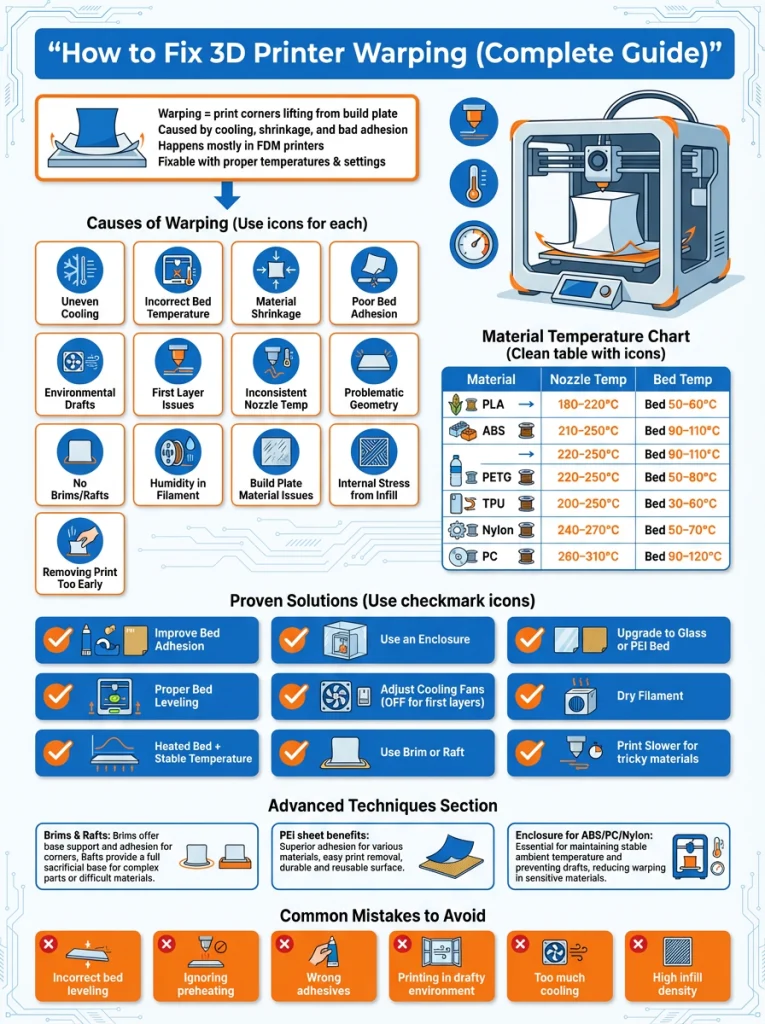
What Causes 3D Printer Warping?
Warping in 3D printing happens when the base of a print lifts off the build plate, leading to distorted or uneven results. This issue is primarily caused by uneven cooling, material shrinkage, and improper temperature settings. Let’s break it down:
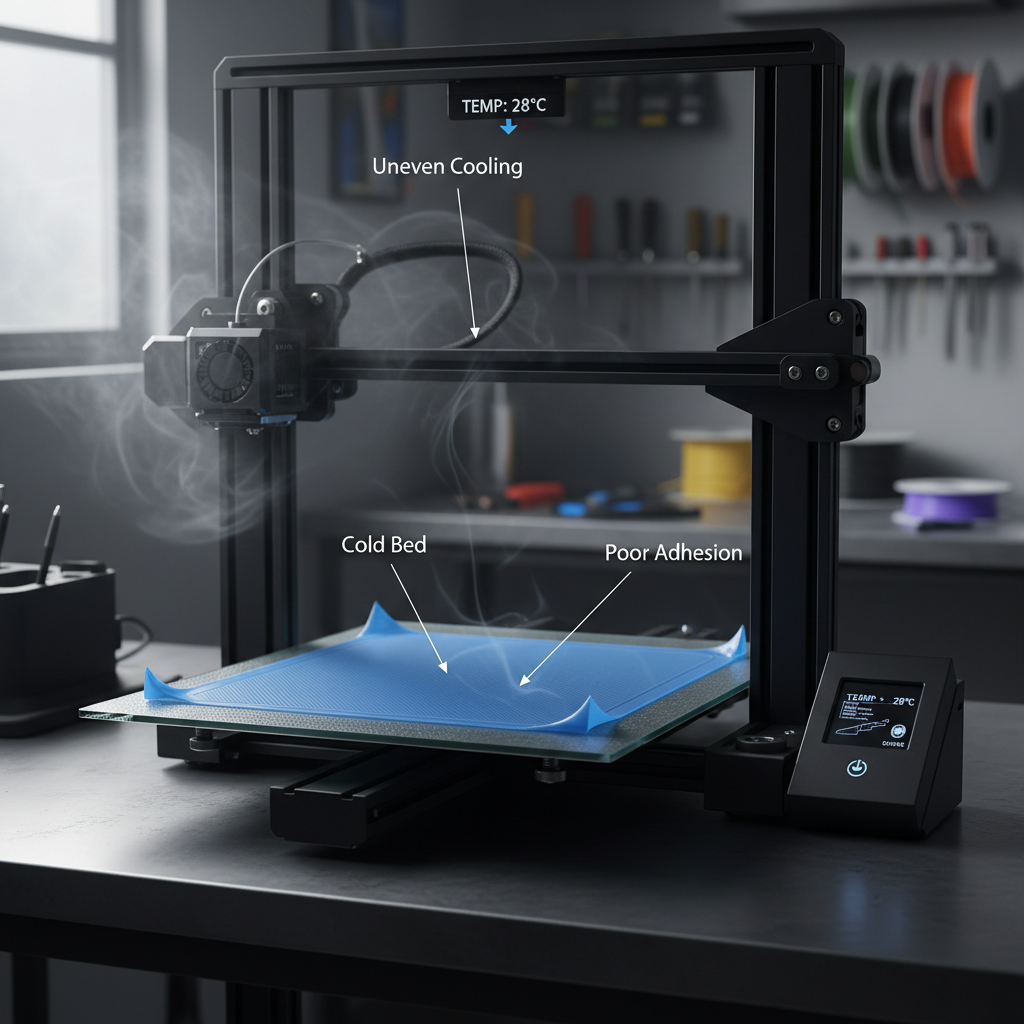
1. Uneven Cooling
When the filament cools unevenly, it contracts at different rates. This creates internal stress, especially in the corners, causing the print to lift or warp. For example, imagine cooling a hot pizza unevenly—some parts harden while others stay soft, leading to cracks or bends.
2. Incorrect Bed Temperature
A heated bed helps maintain consistent temperatures, ensuring the filament adheres properly. If the bed is too cold, the print may detach. For instance, printing ABS without a heated bed often results in warping because the material cools too quickly.
3. Material Shrinkage
Different filaments shrink at varying rates as they cool. ABS, for example, shrinks more than PLA, making it more prone to warping. Think of it like a balloon deflating unevenly—it pulls inwards, distorting its shape.
4. Poor Bed Adhesion
If the first layer doesn’t stick well to the build plate, the print is more likely to warp. A dirty or uneven bed surface can exacerbate this issue. It’s like trying to build a house on a shaky foundation—it won’t hold up.
5. Environmental Factors
Drafts or sudden temperature changes in the room can disrupt the printing process. For instance, placing your printer near an open window on a windy day can cause uneven cooling, leading to warping.
Additional Causes of 3D Printer Warping
6. First Layer Issues
The first layer is the foundation of your print. If it’s not laid down correctly, the entire print can fail. Common first-layer problems include:
- Nozzle too far from the bed: This results in poor adhesion, making the print prone to lifting.
- Printing too fast: A rushed first layer doesn’t have enough time to bond with the bed.
7. Inconsistent Nozzle Temperature
While nozzle temperature primarily affects extrusion, it indirectly contributes to warping. If the nozzle temperature is too low, the filament may not bond well between layers, leading to weak spots that warp as the print cools.
8. Geometry of the Print
The shape and size of your print can influence warping. Large, flat surfaces and sharp corners are more prone to lifting because stress builds up in these areas. For example, a rectangular print with long edges is more likely to warp than a circular one.
9. Lack of Brims or Rafts
Brims and rafts are additional layers or structures printed around or under your model to improve adhesion. Without these, prints with small contact areas or sharp corners are more likely to warp.
10. Environmental Humidity
High humidity can affect certain filaments, like PLA and ABS, by absorbing moisture. This can lead to inconsistent extrusion and increased warping. For instance, printing in a damp basement without proper filament storage can cause issues.
11. Drafts and Ambient Temperature Fluctuations
Sudden changes in room temperature or drafts from air conditioners, fans, or open windows can cause uneven cooling. This is especially problematic for materials like ABS, which are highly sensitive to temperature changes.
12. Build Plate Material
The type of build plate you use can impact adhesion and warping. For example:
- Glass plates: Provide a smooth surface but may require adhesives for better grip.
- PEI sheets: Offer excellent adhesion for most materials but can be tricky to clean.
- Painter’s tape: Works well for PLA but may not be suitable for higher-temperature filaments.
13. Internal Stress from Infill Patterns
Certain infill patterns, like grid or honeycomb, can create internal stress as the print cools. This stress can pull on the outer layers, causing warping. Lowering the infill density or using stress-reducing patterns like gyroid can help.
14. Removing the Print Too Early
If you remove the print before it has fully cooled, it can warp as it adjusts to room temperature. Allowing the print to cool on the bed helps maintain its shape.
Practical Examples
- Large Flat Prints: A large rectangular print without a brim is more likely to warp at the corners due to stress concentration.
- ABS Prints in Open Air: Printing ABS without an enclosure often leads to warping because the material cools too quickly in open air.
- Dirty Build Plate: A build plate with fingerprints or dust can cause poor adhesion, leading to lifting and warping.
Exact Temperatures to Prevent Warping
Warping is a common issue in 3D printing, often caused by uneven cooling or incorrect temperature settings. Maintaining consistent and optimal temperatures for both the nozzle and the print bed is crucial to prevent this problem. Below is a guide to the recommended temperature ranges for popular 3D printing materials.
Recommended Temperatures for Popular Materials
| Material | Nozzle Temperature (°C) | Bed Temperature (°C) | Notes |
|---|---|---|---|
| PLA | 180–220 | 50–60 | Cooling fans should be on for better results. |
| ABS | 210–250 | 90–110 | Use an enclosure to prevent rapid cooling and warping. |
| PETG | 220–250 | 50–80 | Ensure good bed adhesion with glue or tape. |
| TPU | 200–250 | 30–60 | Print slowly to avoid extrusion issues. |
| Nylon | 240–270 | 50–70 | Dry the filament before printing to avoid moisture issues. |
| PC | 260–310 | 90–120 | Use an enclosure for stable ambient temperatures. |
Why Consistent Temperatures Matter
- Layer Adhesion: Proper nozzle temperatures ensure strong bonding between layers, reducing the risk of delamination.
- Bed Adhesion: A heated bed prevents the first layer from cooling too quickly, which can cause warping or detachment.
- Material-Specific Needs: Each filament has unique thermal properties. For example, ABS requires higher temperatures to avoid shrinkage, while PLA is more forgiving but still benefits from a heated bed.
Tips for Maintaining Consistent Temperatures
- Use an Enclosure: Enclosures help maintain a stable ambient temperature, especially for materials like ABS and Nylon.
- Preheat the Bed: Allow the bed to reach the desired temperature before starting the print.
- Monitor Room Conditions: Avoid drafts or sudden temperature changes in the printing environment.
- Calibrate Regularly: Run test prints to fine-tune your printer’s temperature settings for each material.
By following these guidelines and using the recommended temperature ranges, you can significantly reduce warping and achieve high-quality prints.
Proven Solutions to Fix Warping
Dealing with curled or lifted prints can be frustrating. Thankfully, several proven solutions can stop warping. These fixes will get your 3D printer back to creating perfect models. Let’s explore these practical tips.
Bed Adhesion Tips
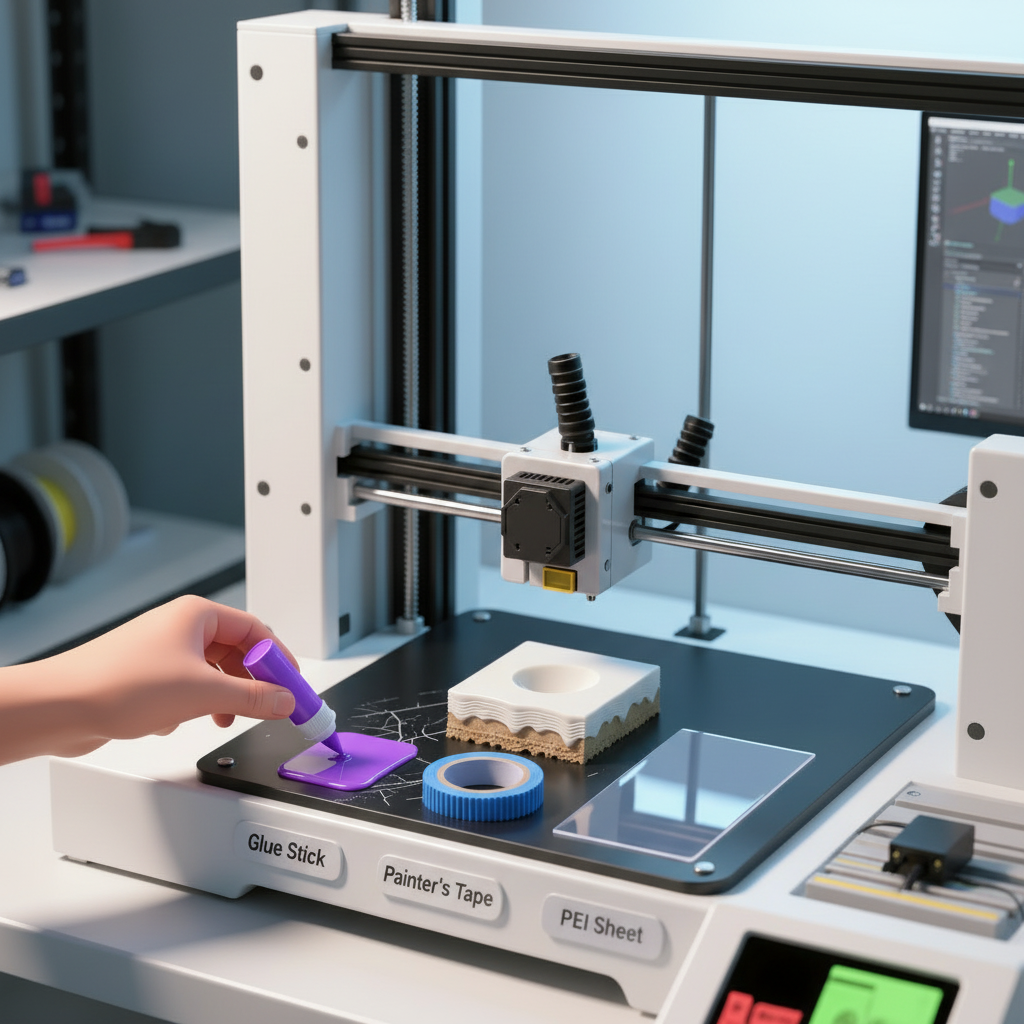
Good bed adhesion is the foundation of a successful print. The first layer must stick firmly to the build plate. If it doesn’t, the corners of your print will lift. Here are some simple 3D printing warping solutions to improve adhesion.
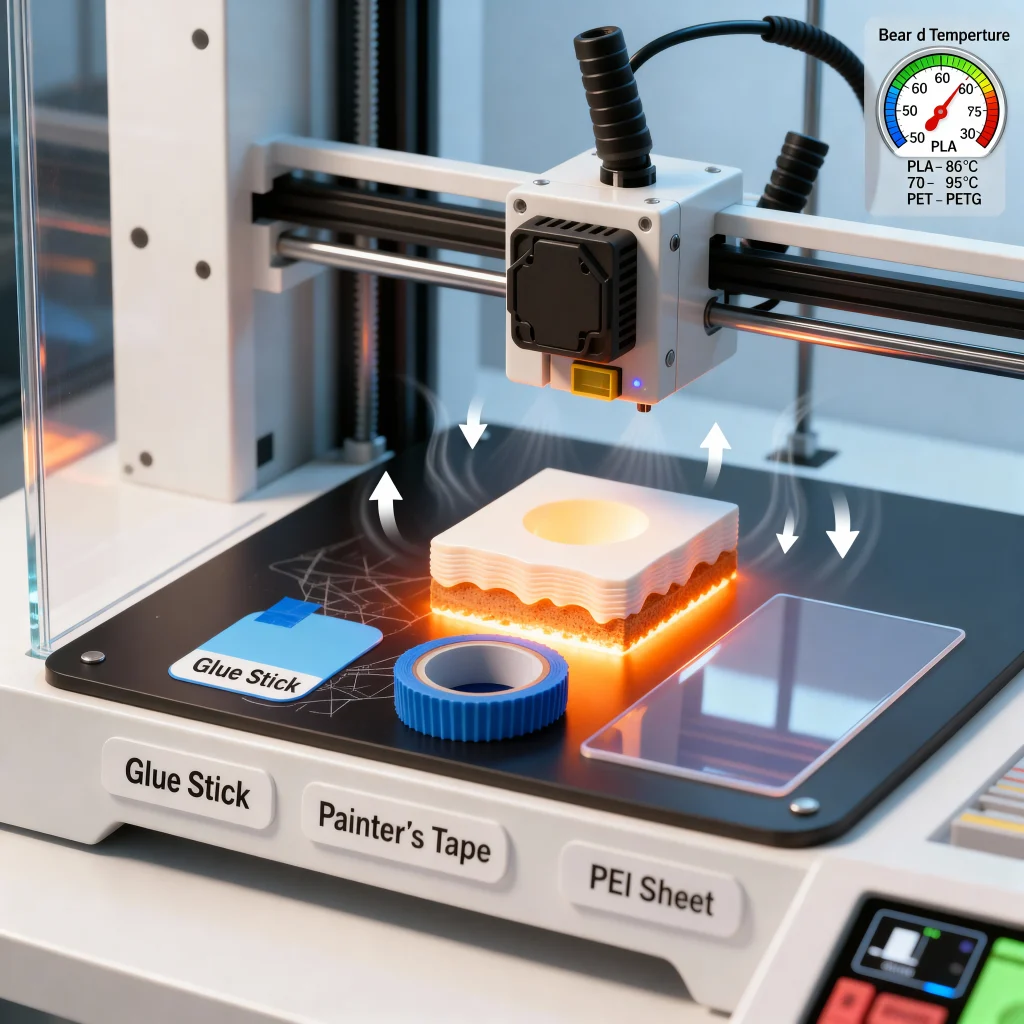
- Use a Glue Stick: A thin, even layer of a standard PVA glue stick works wonders. It provides a tacky surface for the filament to grab onto. This is a popular and low-cost option for better prints.
- Try Painter’s Tape: Blue painter’s tape is another great choice. It gives the print surface a texture that many filaments love. It also makes removing the final print easier.
Invest in a Specialized Mat: You can buy special adhesive sheets or mats. These are designed for 3D printing. They offer excellent grip and are often reusable. A PEI (Polyetherimide) sheet is a fantastic upgrade. It provides strong adhesion when hot and releases the print when cool.
Leveling the Bed
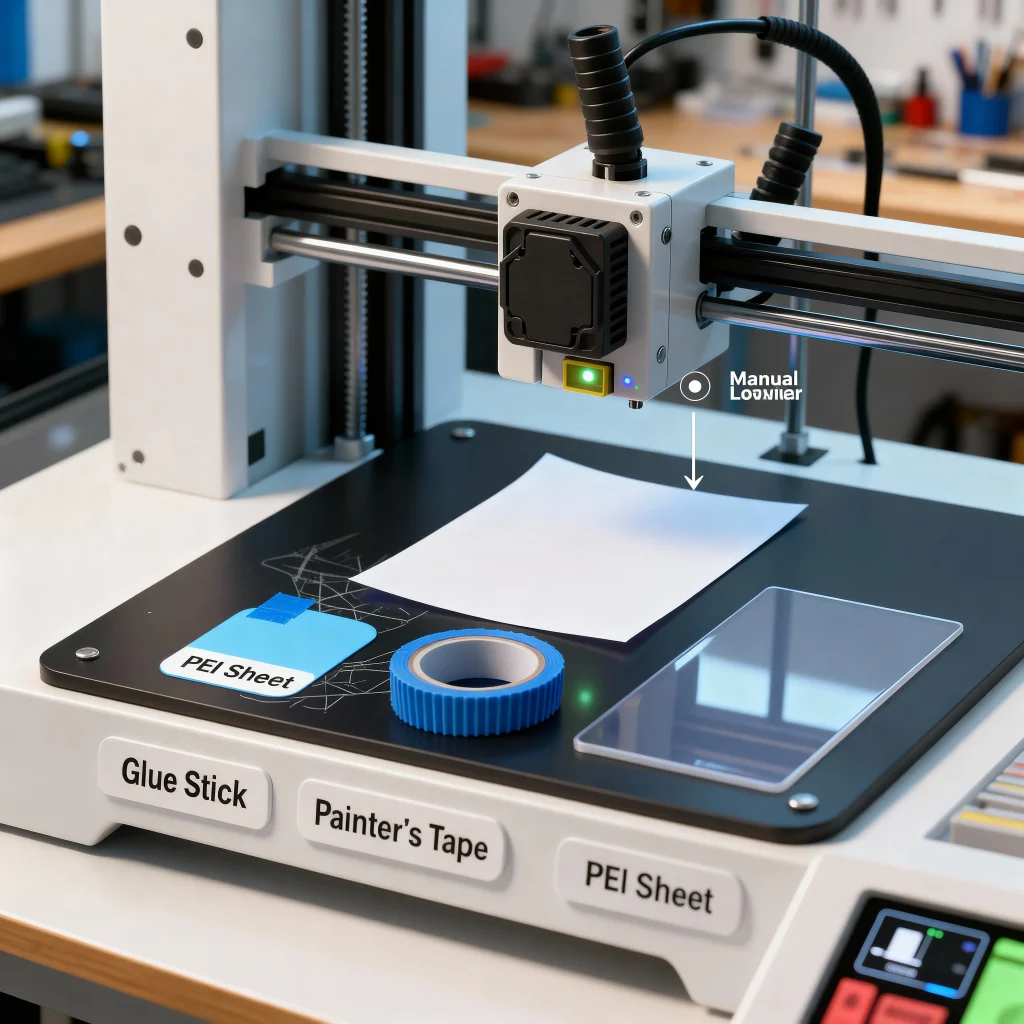
An uneven print bed is a primary cause of warping. If the nozzle is too far from the bed in some spots, the filament won’t stick properly. If it is too close, it can block the filament flow. Perfect leveling ensures a consistent first layer.
Leveling the bed means the distance between the nozzle and the build plate is the same everywhere. Many modern printers have automatic bed leveling. This feature makes the process much simpler. If your printer requires manual leveling, use a piece of paper. Adjust the corners until you feel slight friction on the paper as you move it between the nozzle and the bed. A perfectly level bed is key to stopping warping.
Temperature Control
Temperature changes are the main enemy of your prints. Plastic expands when heated and shrinks when it cools. If this cooling happens too fast, the print curls. Proper temperature control for 3D printing is crucial.
Use an Enclosure: An enclosure keeps the air around the print warm and stable. This prevents cold drafts from cooling the print too quickly. It creates a consistent environment, which is especially important for materials like ABS that shrink a lot. If your printer isn’t enclosed, you can even use a large cardboard box as a temporary solution.
Use a Heated Bed: A heated bed keeps the bottom layers of your print warm. This reduces the amount of shrinkage. It helps the print stay flat against the build surface. For PLA, a bed temperature of 50-60°C is usually effective. For PETG, aim for a higher range, around 70-85°C.
Cooling Adjustments
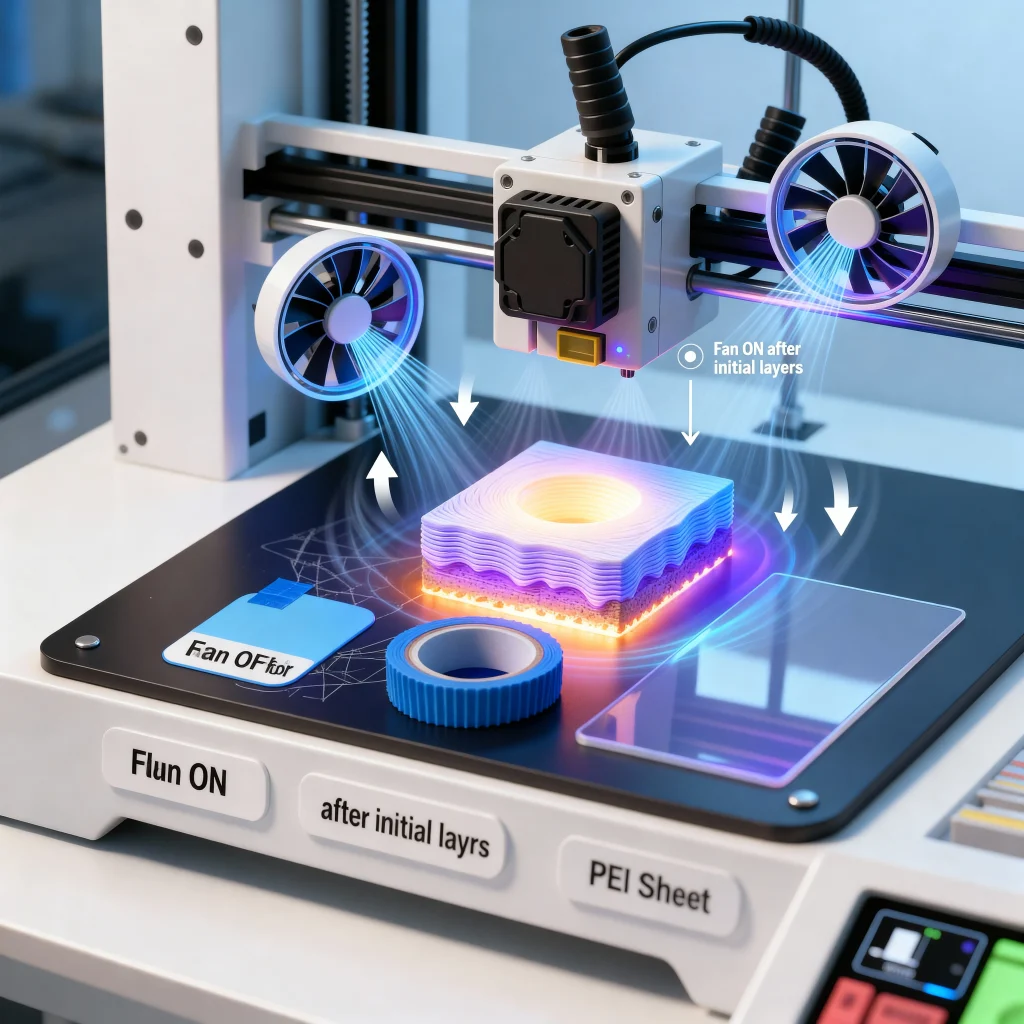
Your printer’s cooling fans are important. They help solidify the filament for sharp details. However, too much cooling on the first few layers can cause warping. The rapid temperature drop causes the plastic to shrink and pull away from the bed.
To fix this, adjust your fan settings. Turn the cooling fan off for the first two or three layers. You can usually change this setting in your slicer software. After the initial layers are securely down, the fan can be turned back on. This gradual cooling process helps prevent the corners of your print from lifting.
Material-Specific Tips
Different filaments behave in different ways. What works for one might not work for another. Here are some tips for popular materials.
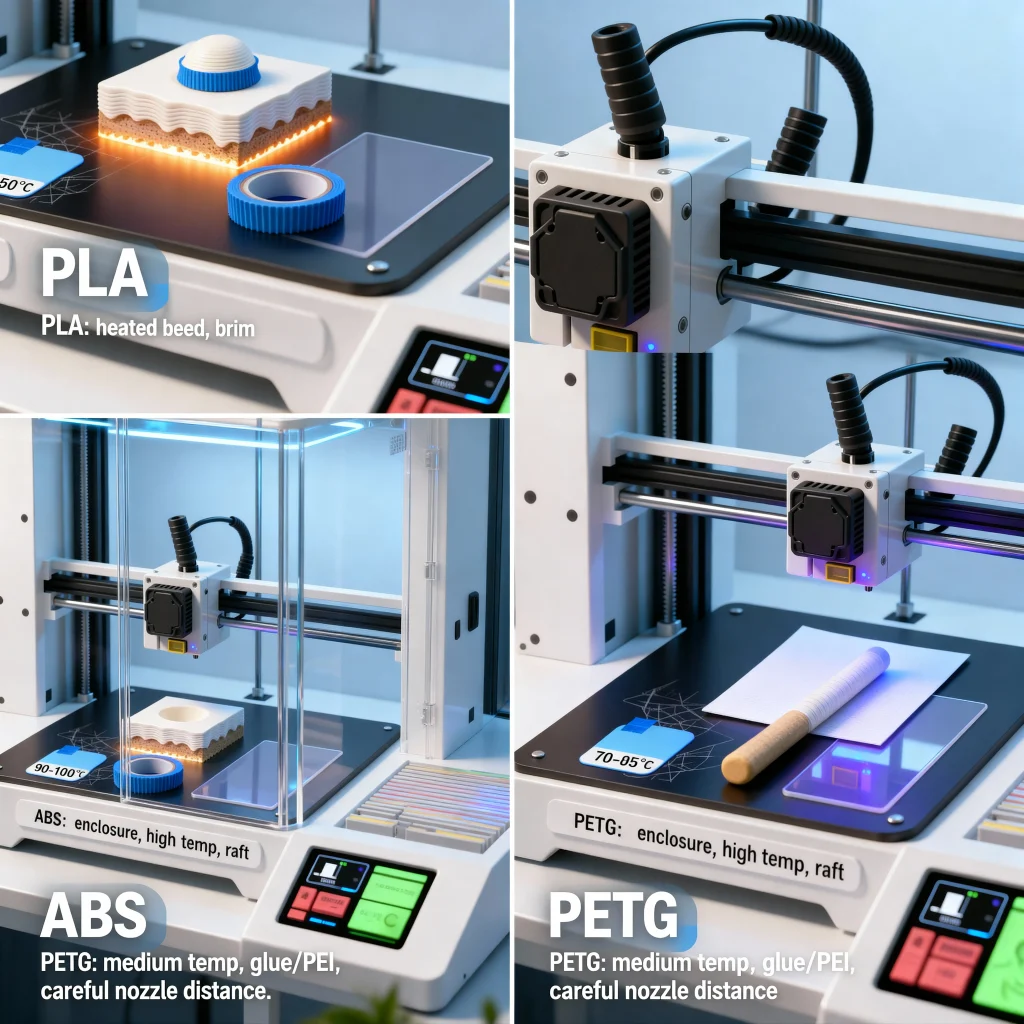
PETG: PETG is a good mix of PLA’s ease of use and ABS’s strength. It needs a bed temperature of about 70-85°C. A glue stick or PEI sheet works well for adhesion. Be careful not to set the nozzle too close to the bed, as this can cause issues.
PLA: This filament is less prone to warping than others. However, it can still happen. A heated bed at 50-60°C and good bed adhesion are usually enough. A brim can also help hold down sharp corners.
ABS: This material is known for significant shrinkage. An enclosure is almost essential for printing ABS successfully. Keep the bed temperature high, around 90-110°C, to fight warping. A raft can also provide a stable base.
Advanced Tips for Stubborn Warping Issues
When dealing with persistent warping problems in 3D printing, advanced techniques can make a significant difference. Here are three proven strategies to tackle even the most challenging warping issues:
1. Use a Brim or Raft for Better Adhesion
A brim or raft can dramatically improve bed adhesion, especially for prints with small contact areas or intricate designs.
- Brim: This adds a thin, flat layer around the base of your print, increasing the surface area in contact with the bed. It’s particularly useful for tall or narrow prints that are prone to tipping or warping. The brim can be easily removed after printing, leaving the main object intact.
- Raft: A raft creates a thicker, supportive base beneath the entire print. It’s ideal for materials like ABS, which are more prone to warping due to their high shrinkage rates. The raft acts as a buffer, absorbing the stress caused by uneven cooling.
Both options are easy to enable in most slicing software and can save hours of frustration.
2. Upgrade to a PEI Sheet or Glass Bed
The choice of build surface plays a crucial role in preventing warping. Two popular options are PEI sheets and glass beds:
- PEI Sheets: Known for their excellent adhesion properties, PEI sheets eliminate the need for additional adhesives like glue or tape. They provide a reusable surface that grips the print during the process and releases it effortlessly once cooled. This is especially effective for materials like PLA and PETG.
- Glass Beds: Glass beds offer a perfectly flat surface, ensuring even heat distribution. They are ideal for achieving smooth, polished bottom layers. For materials like ABS, applying a thin layer of glue stick or hairspray can enhance adhesion and reduce warping.
Both options are durable and require minimal maintenance, making them a worthwhile investment for serious 3D printing enthusiasts.
3. Use an Enclosure for Temperature-Sensitive Materials
An enclosure is a game-changer for printing materials like ABS, nylon, or polycarbonate, which are highly sensitive to temperature fluctuations.
- How It Helps: Enclosures trap heat around the print, maintaining a stable environment. This prevents rapid cooling, which is a primary cause of warping. It also reduces drafts and external temperature variations that can disrupt the printing process.
- DIY or Pre-Made: You can purchase a pre-made enclosure or build one using materials like acrylic sheets or even a repurposed storage box. Ensure the enclosure is well-ventilated to avoid overheating the printer’s components.
By using an enclosure, you can achieve consistent results with challenging materials, even for large or complex prints.
Common Mistakes to Avoid
Warping can ruin your 3D prints, but many issues stem from avoidable mistakes. Here are the most common errors and how to fix them:
1. Incorrect Bed Leveling
If your print bed isn’t level, the filament won’t adhere properly, leading to warping. A nozzle that’s too far from the bed causes poor adhesion, while one that’s too close can damage the surface.
Quick Fix: Use a piece of paper to check the nozzle distance. Slide it between the nozzle and bed. It should move with slight resistance. Adjust the bed height until the paper feels just right.
2. Skipping Preheating
Starting a print without preheating the bed or nozzle can cause uneven adhesion. Cold surfaces make it harder for the filament to stick, increasing the risk of warping.
Quick Fix: Always preheat the bed and nozzle to the recommended temperatures for your filament. For PLA, set the bed to 40–60°C and the nozzle to 200–210°C.
3. Using the Wrong Adhesive
Not all adhesives work for every filament or surface. Using the wrong one can lead to poor first-layer adhesion, which is a major cause of warping.
Quick Fix: Apply a PVA-based glue stick, painter’s tape, or a specialized adhesive designed for your filament. Ensure the bed is clean and free of dust before applying.
4. Ignoring Environmental Factors
Drafts or low room temperatures can cool the filament too quickly, causing it to shrink and warp. This is especially problematic for materials like ABS or PETG.
Quick Fix: Place your printer in a draft-free area or use an enclosure to maintain a stable temperature. For colder rooms, increase the bed temperature by 10°C to compensate.
5. Overusing Cooling Fans
While cooling fans help with layer solidification, excessive airflow can cause uneven cooling, leading to warping.
Quick Fix: Turn off cooling for the first few layers to ensure proper adhesion. For PLA, reduce fan speed to 40–50% if warping persists.
6. High Infill Density
Large models with high infill density are more prone to warping due to internal stress during cooling.
Quick Fix: Reduce infill density to 15–25% for non-structural parts. Use patterns like gyroid instead of straight lines to minimize shrinkage.
Summery
Warping is a common challenge in 3D printing, but it’s not insurmountable. By understanding the root causes—like uneven cooling, poor bed adhesion, and incorrect settings—you can take proactive steps to prevent it. From optimizing bed temperatures to using adhesion aids and enclosures, there are plenty of proven solutions to explore.
Remember, 3D printing is as much about experimentation as it is about precision. Don’t hesitate to try different techniques, materials, and settings to find what works best for your projects. Every print is an opportunity to learn and improve.
Frequently Asked Questions (FAQs)
What is 3D printer warping?
Warping happens when the edges of a 3D print curl up or lift off the print bed. This can ruin the print’s shape and quality.
What causes warping in 3D printing?
Warping is usually caused by uneven cooling, incorrect bed temperatures, poor bed adhesion, or material shrinkage during printing.
How can I stop my 3D prints from warping?
You can prevent warping by:
Using a heated bed or an enclosure for temperature-sensitive materials.
Using the correct bed and nozzle temperatures.
Ensuring the print bed is level.
Applying adhesives like glue sticks or painter’s tape.
What are the best bed temperatures for PLA, ABS, and PETG?
- PLA: 50–60°C
- ABS: 90–110°C
PETG: 70–85°C
Always check the filament manufacturer’s recommendations for exact settings.
Do I need a heated bed to prevent warping?
A heated bed helps maintain consistent temperatures, which reduces warping, especially for materials like ABS and PETG. For PLA, it’s helpful but not always necessary.
Should I use a brim or raft to prevent warping?
Yes, adding a brim or raft can improve bed adhesion and reduce warping, especially for large or complex prints.
Can an enclosure help with warping?
Yes, an enclosure maintains a stable temperature around the print, which is especially useful for materials like ABS that are prone to warping.
What are the most warp-resistant 3D printing materials?
Materials like PLA and TPU are less likely to warp compared to ABS or Nylon. They are great for beginners or projects where warping is a concern.