
3D printing has revolutionized how we create and innovate. From crafting intricate prototypes to producing everyday items, this technology is no longer limited to industrial giants. Its growing popularity stems from its versatility and accessibility, making it a favorite among hobbyists, educators, and small businesses alike. And with Best Budget 3D Printers now offering powerful features at low prices, getting started has become easier than ever.
What’s even more exciting? You don’t need to break the bank to own a 3D printer. Today, you can find feature-packed models for under $300 that offer excellent value without compromising quality — a big advantage if you’re exploring options to scale up, especially when searching for the best 3D printer for small business without overspending.
This guide is here to help you navigate the world of budget-friendly 3D printers. Whether you’re a DIY enthusiast or a small business owner, we’ll explore the best options to kickstart your 3D printing journey.
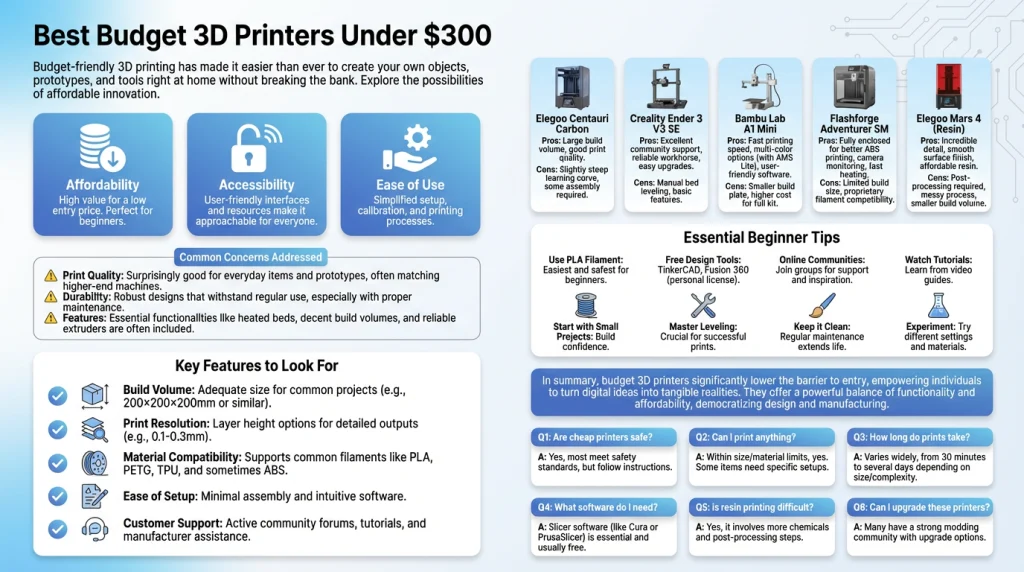
Why Choose a Budget 3D Printer?
1. Affordability
Budget 3D printers are a cost-effective entry point into the world of 3D printing. With prices under $300, they make this innovative technology accessible to hobbyists, students, and small businesses. These machines allow users to explore 3D printing without a hefty financial commitment.
Another important factor in choosing a budget 3D printer is understanding the quality of its 3D Printer Bed. A stable and well-heated print bed ensures stronger adhesion and fewer failed prints. For example, beginners often notice a big difference when moving from a basic non-heated bed to a heated one, especially when printing materials like PLA or PETG.
2. Accessibility
Low-cost 3D printers are designed with simplicity in mind. Many models come with user-friendly interfaces and straightforward assembly processes. This makes them ideal for beginners who want to experiment with 3D printing without feeling overwhelmed.
3. Ease of Use
Modern budget printers often include features like automatic bed leveling and pre-configured settings. These enhancements reduce the learning curve, allowing users to focus on creating rather than troubleshooting.
Addressing Common Concerns
- Quality: While budget printers may not match the precision of high-end models, they still deliver impressive results for everyday projects. Advances in technology have significantly improved the print quality of affordable machines.
- Durability: Entry-level printers are built to last with proper care. Regular maintenance, such as cleaning and calibration, ensures consistent performance over time.
- Features: Budget printers often support popular materials like PLA and ABS. While they may lack advanced features like multi-material printing, they provide all the essentials for most users.
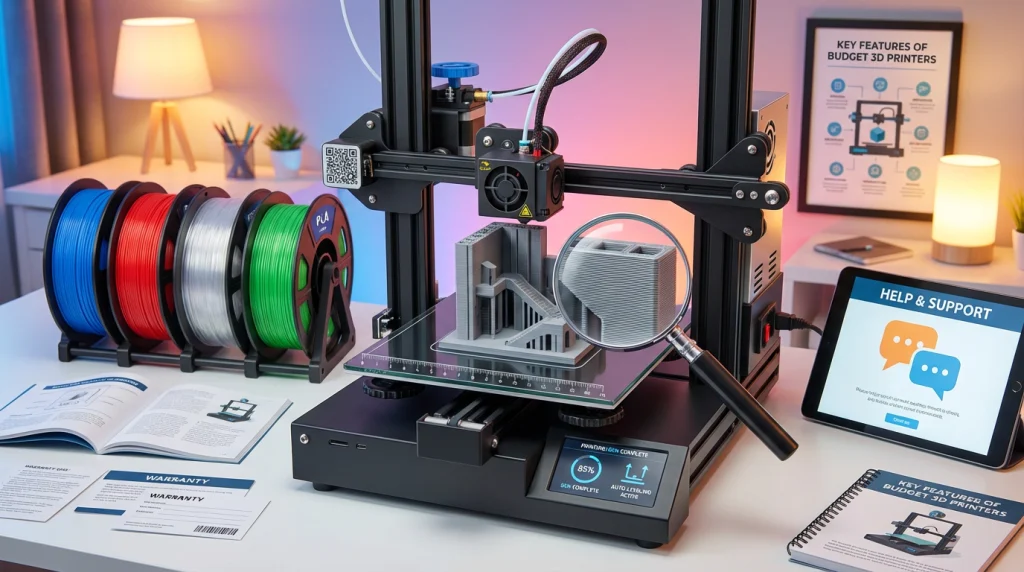
Key Features to Look for in a Budget 3D Printer
Choosing your first 3D printer can feel exciting. But it can also be a little overwhelming. There are many options available for under $300. Knowing which features matter most will help you decide. Let’s explore the key things to look for. This will ensure you find the best budget 3D printer for your needs.
Build Volume and Size
Build volume is a very important feature. It tells you the maximum size of an object you can print. This is often measured in inches or millimeters. It has three dimensions: height, width, and depth. Think about the projects you want to create. Will you make small figures or larger parts?
A bigger build volume lets you print larger items in one piece. You will not have to print small parts and assemble them later. Many budget printers offer a good build area for most projects. A medium size is often a great starting point for beginners. It balances physical size with printing capability. Always check the build volume before you buy a printer. It ensures the machine can handle your creative ideas.
Print Quality and Resolution
Print quality is what makes your creations look great. It is determined by the printer’s resolution. Resolution refers to the level of detail the printer can produce. It is usually measured by the layer height in microns. A smaller layer height means thinner layers. This results in a smoother, more detailed finish.
For budget 3D printers, you want a good balance. You need a machine that creates clean and accurate prints. Low-resolution prints can look rough or unfinished. High-resolution prints look sharp and professional. Check reviews and look at sample prints from the printer. This gives you a real idea of its quality. Good print quality makes your 3D printing experience much more rewarding.
Material Compatibility
Your printer needs to work with different materials. These materials are called filaments. Different filaments have unique properties. They affect strength, flexibility, and appearance. Most budget 3D printers are designed to use common materials.
PLA is the most popular filament for beginners. It is easy to use and comes in many colors. It is also a plant-based, biodegradable plastic. ABS is another common material. It is stronger and more durable than PLA. It is great for functional parts. However, it can be trickier to print with. Some printers also support PETG or TPU. A printer that is compatible with multiple materials offers more flexibility. You can experiment as your skills grow.
Ease of Setup and Use
A new 3D printer should be fun, not frustrating. Ease of use is critical, especially for beginners. Look for printers that are easy to assemble. Many budget models come partially assembled. This can save you a lot of time and effort. The initial setup should be simple and quick.
Features like automatic bed leveling are a huge help. The print bed is the surface where your object is built. Leveling it ensures the first layer sticks properly. Automatic leveling does this for you with one touch. This prevents many common printing failures. A simple user interface with a touchscreen also helps. It makes navigating menus and starting prints much easier. A user-friendly printer lets you focus on creating.
Customer Support and Warranty
Good customer support is a valuable feature. You might have questions or run into issues. A reliable support team can guide you. Look for brands that offer help through email, phone, or online chat. Many companies also have active online communities. These forums are great for getting tips from other users.
A warranty is also important. It protects your investment if something goes wrong. Most manufacturers offer a one-year warranty on their printers. This covers defects in parts and workmanship. Reading the warranty details gives you peace of mind. Choosing a brand with strong support and a solid warranty ensures you have help when you need it.
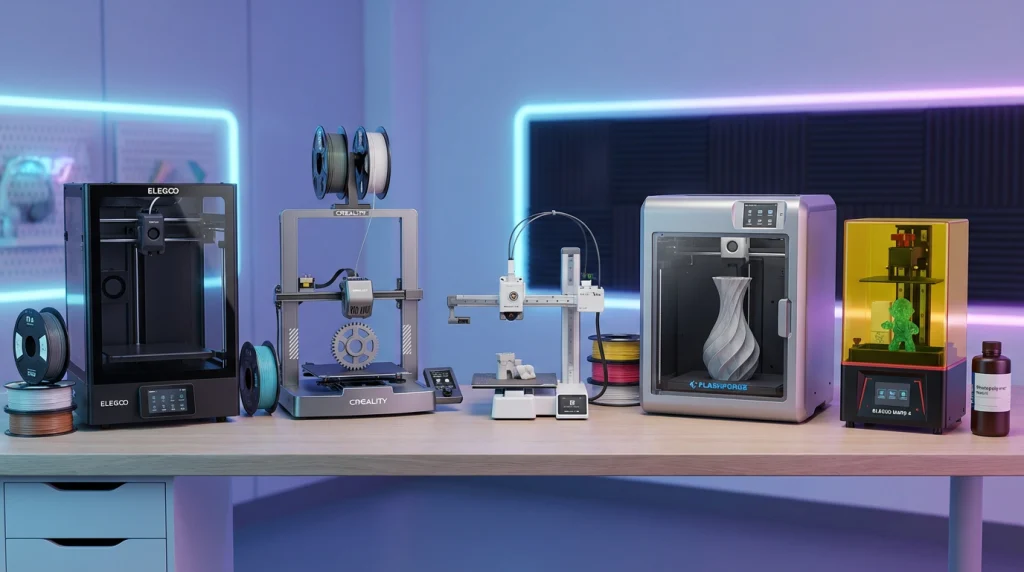
Five top budget 3D printers under $300
1. Elegoo Centauri Carbon
- Key Features:
- Fully enclosed CoreXY design.
- Fast-heating print bed.
- Build volume: 256 x 256 x 256 mm.
- Auto-bed leveling and dual-surface magnetic print bed.
- Pros:
- Premium build quality for the price.
- Excellent cooling and filtration system.
- Supports advanced materials, such as carbon fiber composites.
- Cons:
- Occasional calibration adjustments are needed.
- Limited software features.
- Price Range: ~$279.
- Ideal Use Cases: DIY projects, small businesses, and hobbyists looking for precision and speed.
2. Creality Ender 3 V3 SE
- Key Features:
- Build volume: 220 x 220 x 250 mm.
- Auto-bed leveling and dual Z-axis motors.
- Direct drive extruder for better filament control.
- Pros:
- Beginner-friendly with easy setup.
- Quiet operation and reliable performance.
- Affordable yet capable of high-quality prints.
- Cons:
- No filament sensor.
- Magnetic print bed can be tricky to reposition.
- Price Range: ~$199.
- Ideal Use Cases: Beginners, hobbyists, and those on a tight budget.
3. Bambu Lab A1 Mini
- Key Features:
- Compact build volume: 180 x 180 x 180 mm.
- Multi-color printing with AMS Lite (optional add-on).
- Full-auto calibration and noise-canceling technology.
- Pros:
- Excellent print quality for its size.
- User-friendly with smart diagnostics.
- Affordable entry into multi-color printing.
- Cons:
- Small build area.
- Limited to low-temperature materials like PLA and PETG.
- Price Range: ~$199.
- Ideal Use Cases: Beginners, hobbyists, and small-scale multi-color projects.
4. Flashforge Adventurer 5M
- Key Features:
- Build volume: 220 x 220 x 220 mm.
- CoreXY design with 300mm/s print speed.
- Networking capabilities for multiple printers.
- Pros:
- Great for schools and small print farms.
- High-speed printing with good quality.
- Easy-to-use Flashprint software.
- Cons:
- Spool holder placement can be inconvenient.
- Price Range: ~$299.
- Ideal Use Cases: Educational institutions, small businesses, and print farms.
5. Elegoo Mars 4 (Resin Printer)
- Key Features:
- Build volume: 153 x 77 x 175 mm.
- 9K monochrome LCD for high-speed resin printing.
- Compact and beginner-friendly design.
- Pros:
- Exceptional detail for small models.
- Fast printing compared to older resin printers.
- Affordable entry into resin printing.
- Cons:
- Small build area.
- Requires safety precautions for resin handling.
- Price Range: ~$185.
Ideal Use Cases: Miniatures, jewelry, and detailed small-scale projects.
Comparison Table
| Feature | Elegoo Centauri Carbon | Creality Ender 3 V3 SE | Bambu Lab A1 Mini | Flashforge Adventurer 5M | Elegoo Mars 4 (Resin) |
|---|---|---|---|---|---|
| Printer Type | FDM (Filament) | FDM (Filament) | FDM (Filament) | FDM (Filament) | MSLA (Resin) |
| Build Volume | 256 x 256 x 256 mm | 220 x 220 x 250 mm | 180 x 180 x 180 mm | 220 x 220 x 220 mm | 153 x 77 x 165 mm |
| Max Print Speed | 500 mm/s | 250 mm/s | 500 mm/s | 600 mm/s | Varies by layer |
| Key Feature | Enclosed CoreXY design | CR Touch auto-leveling | Multi-color capability | High-speed, enclosed | High detail & precision |
| Best For | High-speed printing | Beginners & hobbyists | Small, fast, multi-color prints | Speed & ease of use | Miniatures & detailed models |
| Approx. Price | ~$299 | ~$199 | ~$299 | ~$299 | ~$269 |
| User Rating | ★★★★☆ | ★★★★☆ | ★★★★★ | ★★★★☆ | ★★★★☆ |
*Price is not fixed for all time, price can go up and down according to the market situation*
Tips for First-Time Buyers
Starting your 3D printing journey can be exciting yet overwhelming. Here are some practical tips to help you get started smoothly:
1. Begin with PLA Filament
PLA (Polylactic Acid) is the most beginner-friendly material. It’s affordable, easy to work with, and doesn’t require a heated bed. Plus, it’s eco-friendly and available in various colors, making it perfect for experimenting.
2. Use Free Design Software
Explore free 3D design tools like Tinkercad or Fusion 360. These platforms are user-friendly and offer tutorials to help you create or modify designs. They’re great for beginners who want to learn the basics without spending extra.
3. Join Online Communities
Connect with fellow 3D printing enthusiasts through forums, Facebook groups, or Reddit communities. These platforms are treasure troves of advice, troubleshooting tips, and inspiration. You’ll also find free STL files for printing.
4. Watch Tutorials and Read Reviews
Before buying a printer or starting a project, watch video tutorials and read user reviews. This will help you understand the machine’s setup, features, and potential challenges. Reviews often highlight real-world experiences that can guide your purchase.
5. Start Small and Simple
Choose small, straightforward projects to build confidence. Printing a simple keychain or a figurine will help you understand your printer’s capabilities and settings without wasting material.
6. Level Your Print Bed
A level print bed is crucial for successful prints. Many budget printers now offer auto-leveling features, but if yours doesn’t, take the time to manually level it. This ensures better adhesion and fewer failed prints.
7. Keep Your Printer Clean
Regular maintenance, like cleaning the nozzle and print bed, ensures consistent performance. Dust and debris can affect print quality, so make it a habit to check your printer before each use.
8. Experiment and Have Fun
Don’t be afraid to experiment with settings and designs. Mistakes are part of the learning process. Enjoy the journey and celebrate your progress as you create unique 3D prints.
Summery
Budget 3D printers have revolutionized accessibility, making it easier than ever to dive into the world of 3D printing. These affordable machines are perfect for beginners, hobbyists, and even small businesses looking to explore creative possibilities without breaking the bank. They offer a cost-effective way to experiment, learn, and bring ideas to life.
When choosing a 3D printer, focus on your specific needs. Consider factors like build volume, material compatibility, and ease of use. Whether you’re crafting DIY projects or creating prototypes for a business, there’s a budget-friendly option that fits your goals.
Ready to start your 3D printing journey? Explore these top picks and find the perfect printer to turn your ideas into reality. The possibilities are endless—let your creativity take shape today!
Frequently Asked Questions
Are budget 3D printers reliable?
Yes, budget 3D printers can be reliable if you choose a reputable brand. They are ideal for beginners and hobbyists. However, they may lack advanced features like higher-end models. Regular maintenance and proper usage can significantly improve their reliability.
What materials can I use with a budget 3D printer?
Most budget 3D printers support common materials like PLA and ABS. Some models also handle PETG and TPU. These materials are affordable and versatile, making them ideal for a wide range of projects.
How much maintenance do budget 3D printers require?
Budget 3D printers need regular maintenance, such as cleaning the nozzle, checking the bed leveling, and lubricating moving parts. These tasks are simple and ensure consistent performance.
Can I print large objects with a budget 3D printer?
Most budget 3D printers have a smaller build volume, typically around 200 x 200 x 200 mm. If you need to print larger objects, you can split the design into parts and assemble them later.
Are budget 3D printers beginner-friendly?
Yes, many budget 3D printers are designed for beginners. They often come with user-friendly interfaces, pre-assembled parts, and detailed guides to help you get started.
What is the lifespan of a budget 3D printer?
The lifespan depends on usage and maintenance. With proper care, a budget 3D printer can last several years. Replacing worn-out parts, such as belts or nozzles, can extend its life.