
The Anycubic Kobra 2 Max is a flagship FDM 3D printer known for its massive build volume, high-speed performance, and features like automatic leveling and app control. However, reviews suggest that its actual printing speeds are lower than advertised, and the open-frame design limits its use with some filament types.
Discover the Anycubic Kobra 2 Max for faster, larger, and precise 3D printing. Perfect for creators who need speed and big build volume. Read now.
Related internal pages:
- anycubic-kobra-3-max-combo/
- anycubic-kobra-s1-3d-printer/
- anycubic-kobra-2-max-slicer/
- anycubic-kobra-3-max/
- anycubic-kobra-3/
Product Features
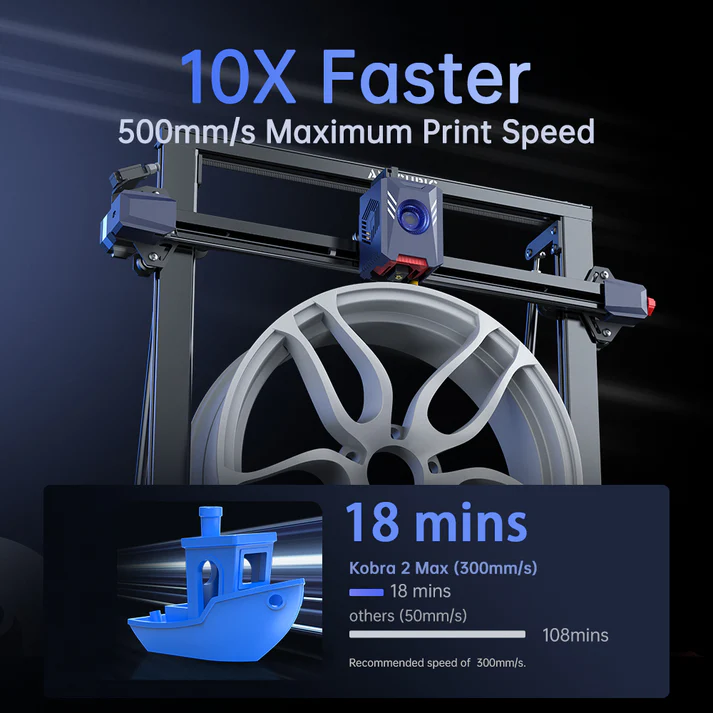
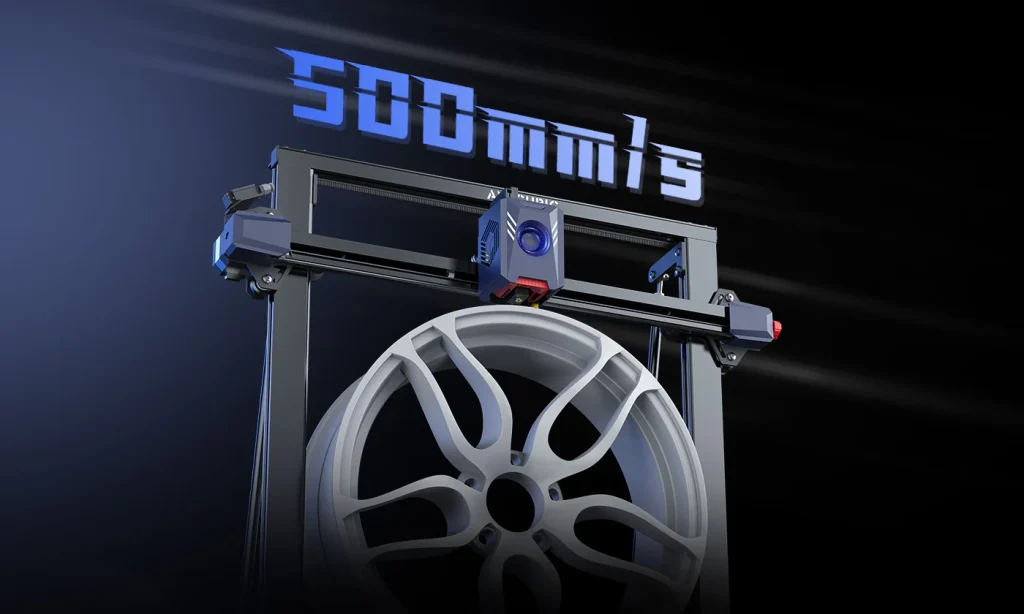
● 10X Fast 3D Printer: Max Speed 500mm/s
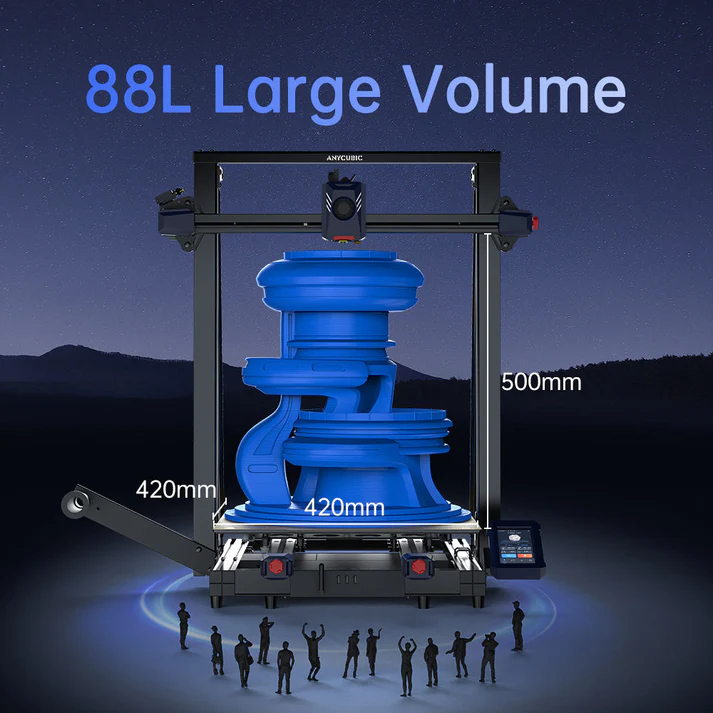
● 88L Large Print Size: 420*420*500mm
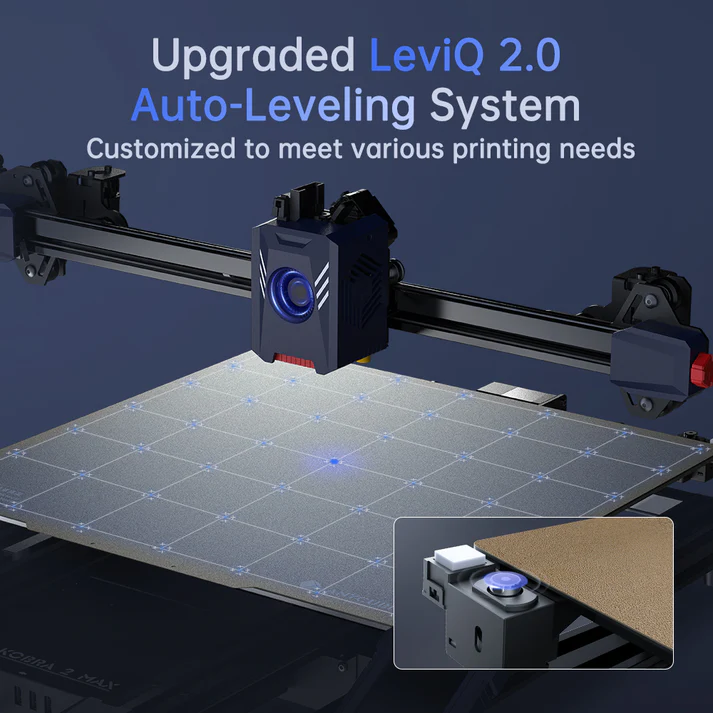
● Automatic Leveling: Upgraded LeviQ 2.0
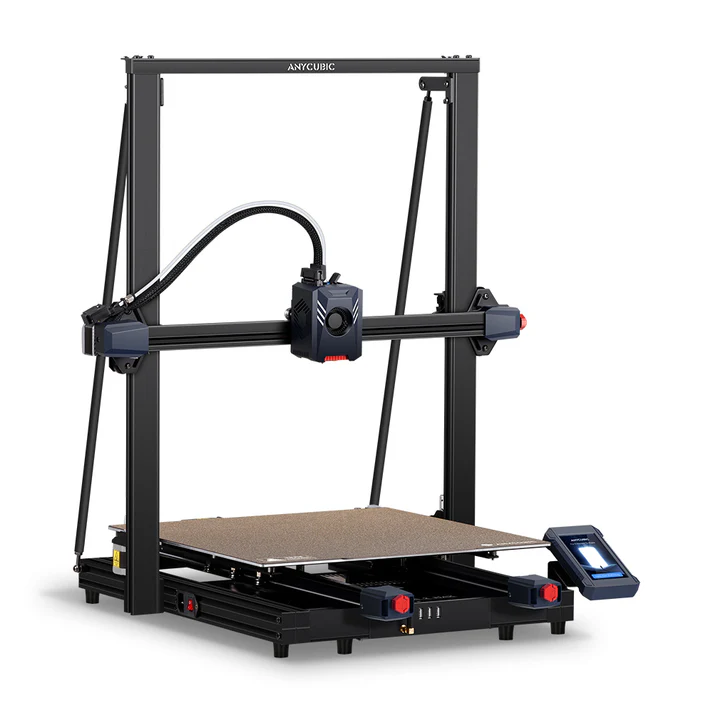
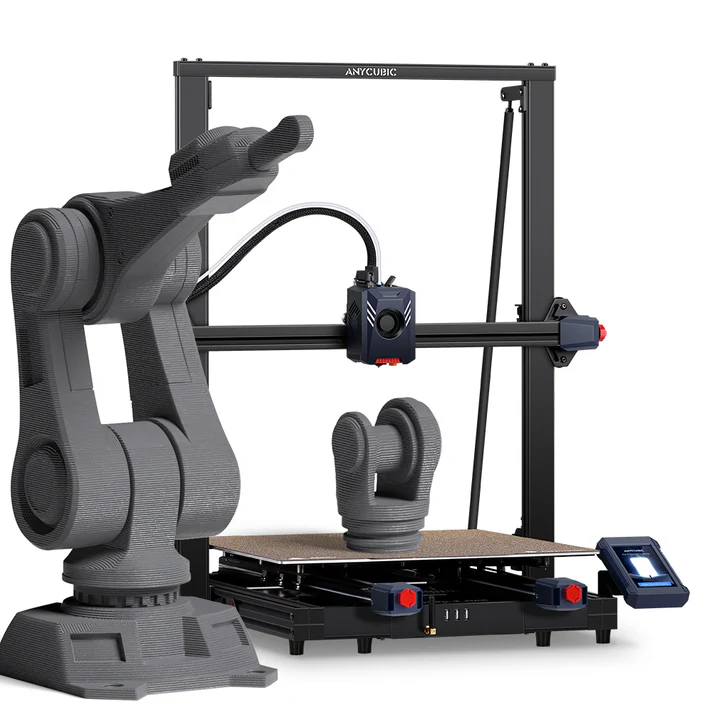
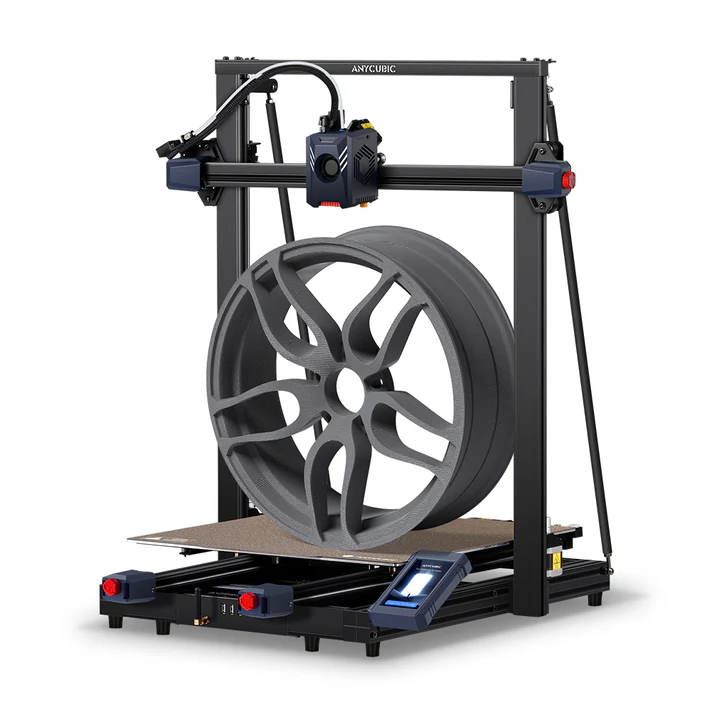

Key specifications
- Printing volume: A large build volume of 420 x 420 x 500 mm (approx. 88.2L), enabling the creation of large, single-piece models.
- Maximum speed: Advertised as up to 500 mm/s, with a standard speed of 300 mm/s. However, independent tests found that reliable printing speeds are closer to 150–230 mm/s.
- Processor: Equipped with a dual-core Cortex-A7 1.2GHz processor to handle fast computations for high-speed printing.
- Extruder: A direct extruder with a dual-motor, dual-Z-axis motion structure for efficient and precise material delivery.
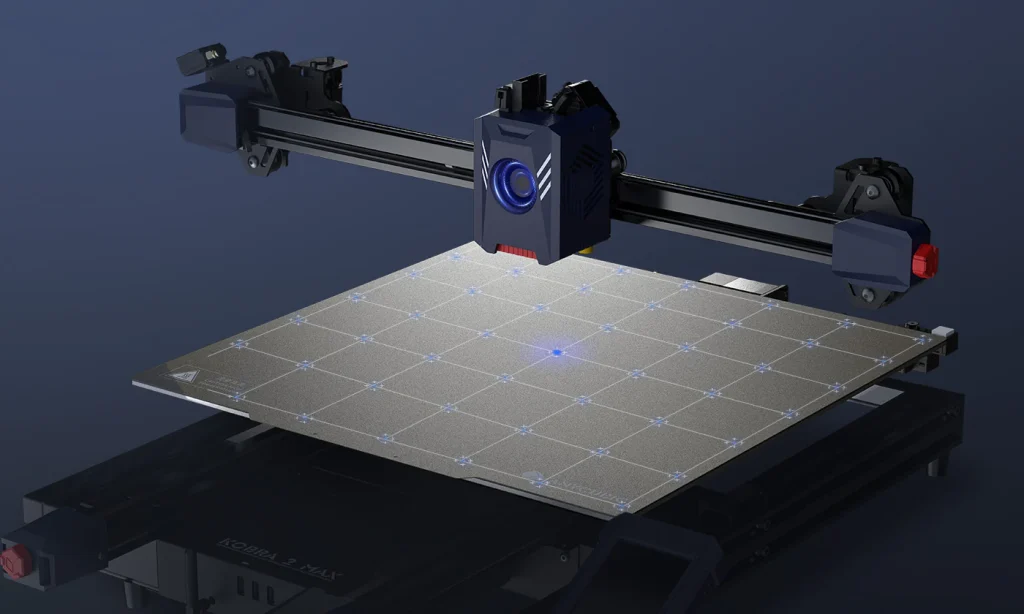
- Auto-leveling: Features the LeviQ 2.0 automatic leveling system for 49-point precise bed leveling.
- Build plate: A PEI spring steel magnetic build plate for easy and hassle-free print removal.
- Connectivity: Supports printing via USB and the Anycubic App, allowing for remote monitoring and control.
- Display: A 4.3-inch color LCD touchscreen for a user-friendly interface.
- Vibration compensation: Includes a one-click vibration compensation feature to reduce or eliminate ringing and ghosting for better print quality.
Performance and user experience
- Printing speed: While the advertised speed is aggressive, its real-world performance is still considered quite fast for its large size, according to reviewers.
- Build quality: Its open-frame architecture can be a limitation. While fine for PLA, PETG, and TPU, it is not ideal for printing with filaments like ABS, which require a stable, warm environment to prevent warping and delamination.
- Reliability: User reviews are mixed. While some users report a smooth experience, others have experienced issues, calling the machine “temperamental” and requiring frequent maintenance or tinkering to achieve consistent quality.
- Ease of use: The large print size and automatic features make it appealing for beginners, but a degree of tinkering is often needed for optimal performance. Online communities, such as those on Reddit, are a helpful resource for troubleshooting and advice.
Models
Hardware and design choices
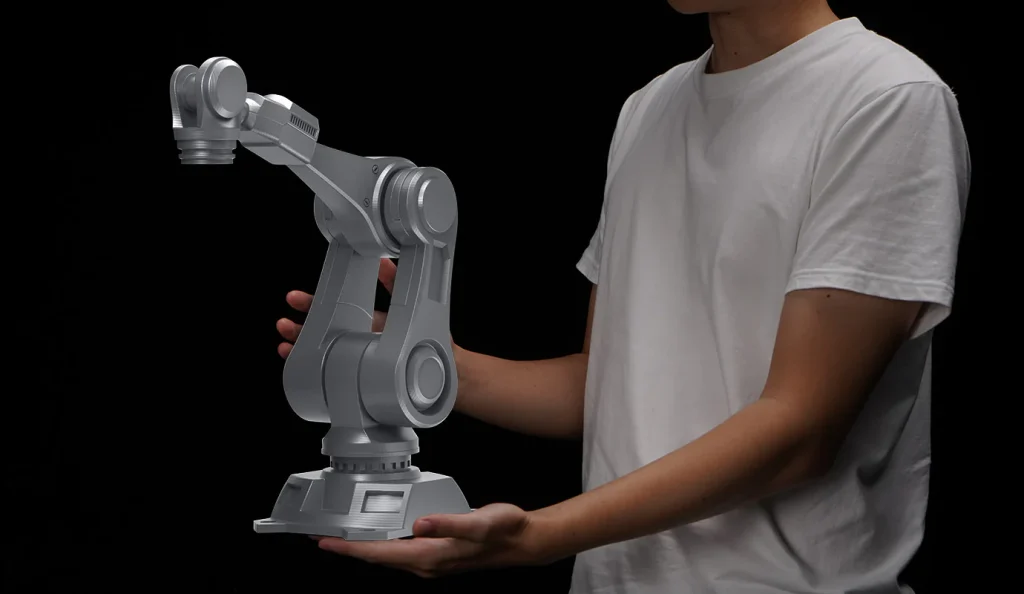
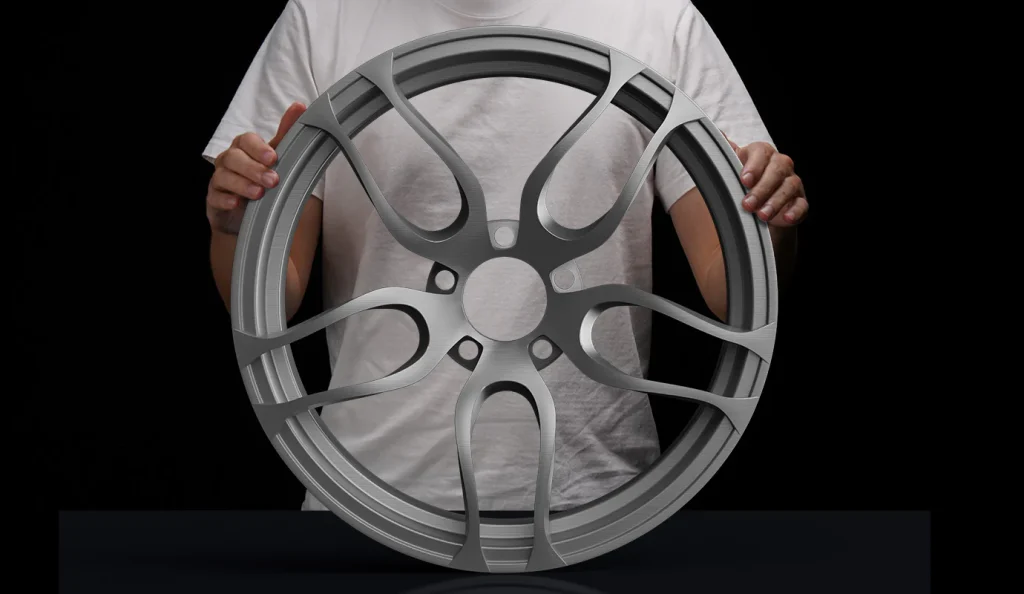
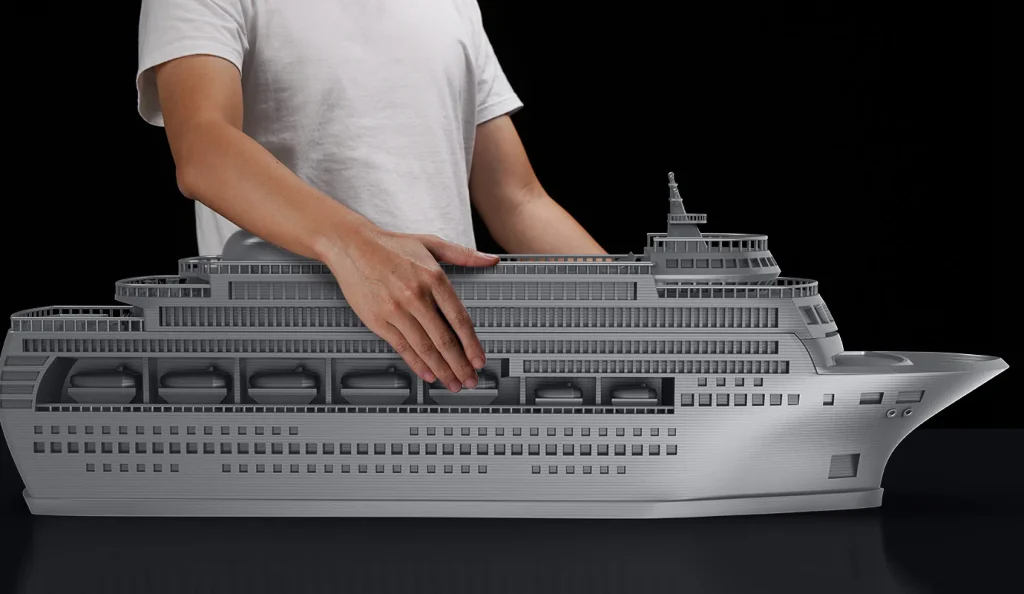
- Build volume: The printer’s standout feature is its generous 420 x 420 x 500 mm (88L) build volume, which is ideal for large, single-piece projects like cosplay armor.
- Direct-drive extruder: The dual-gear, direct-drive extruder delivers filament directly to the nozzle, which offers more precise extrusion than a Bowden system.
- Motion system: The Kobra 2 Max uses a dual-Z-axis with dual motors and a belt to ensure stability for the gantry and large print bed.
- Bed-slinger architecture: As a “bed-slinger,” the print bed moves along the Y-axis. The large size and high speeds can cause vibrations and wobble that impact print quality, particularly on tall objects.
- Open-frame design: The lack of an enclosure means it cannot maintain a stable, heated environment. This is fine for standard filaments like PLA, PETG, and TPU, but problematic for materials like ABS that require consistent heat to prevent warping and delamination.
- PEI build plate: The flexible, magnetic PEI spring steel sheet is a popular, modern feature that makes removing finished prints easy.
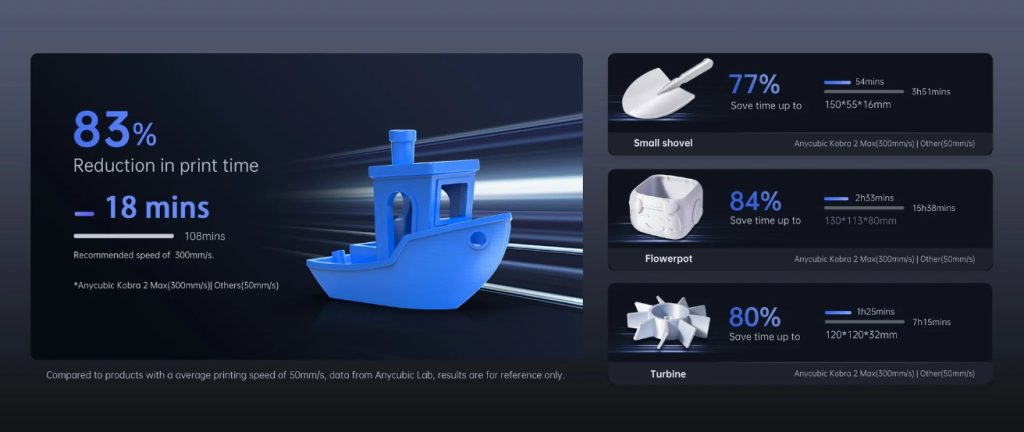
10X Faster
Compared to mainstream FDM 3D printers, the printing speed has increased by 10 times. Larger model creation, time-saving, and energy-efficient.
Software and user experience
- Closed-source firmware: The printer uses a proprietary version of Klipper firmware, but it’s locked down, preventing users from making the advanced adjustments and customizations possible with an open-source Klipper setup.
- Firmware issues: Early users experienced significant firmware bugs, though Anycubic has since released updates to address these issues.
- App control: The Anycubic app allows for remote monitoring and control, but some users have reported issues with its functionality, such as connecting to the printer or viewing the correct status.
- Slicer: The printer ships with Anycubic Slicer, a modified version of PrusaSlicer. While functional, some users find it lacks features or requires manual profile imports.
- Automatic leveling (LeviQ 2.0): The 49-point auto-leveling system is designed to simplify bed calibration. However, some users have reported issues with inconsistent leveling and a warped bed, which can only be compensated for through shimming, not manual adjustment.
Excellent in Detail
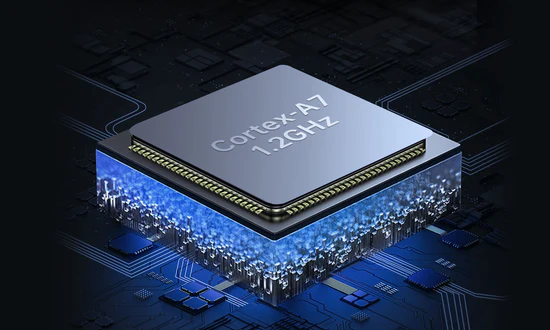
Equipped with a high-performance Cortex-A7 1.2GHz processor, it provides strong computing power for faster calculations, execution of commands, motor control, resulting in 10 times faster printing.
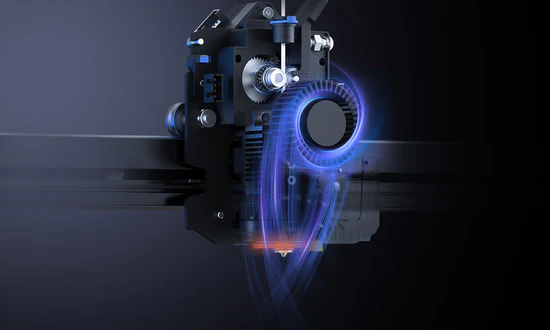
By using direct extruder and a dual-motor dual-Z-axis motion structure that have been perfectly optimized for the extrusion and cooling systems, it efficiently and accurately delivers materials, allowing for quick melting and cooling. This leads to smooth operation and fewer visible layer lines.
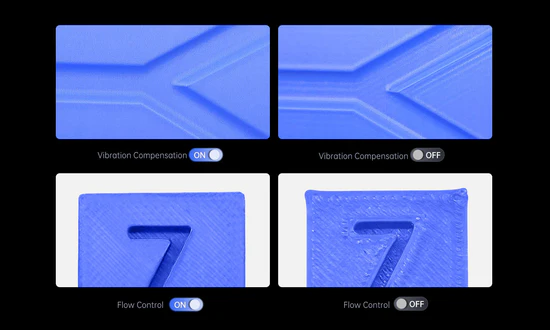
With one-click ‘Vibration Compensation’, resonance frequency detection on the X/Y axis eliminates vertical and bracket lines for print stability. ‘Flow Control’ enhances layer quality via smart compensation for retraction and refilling, ensuring uniform, detailed results.
500mm/s Maximum Printing Speed
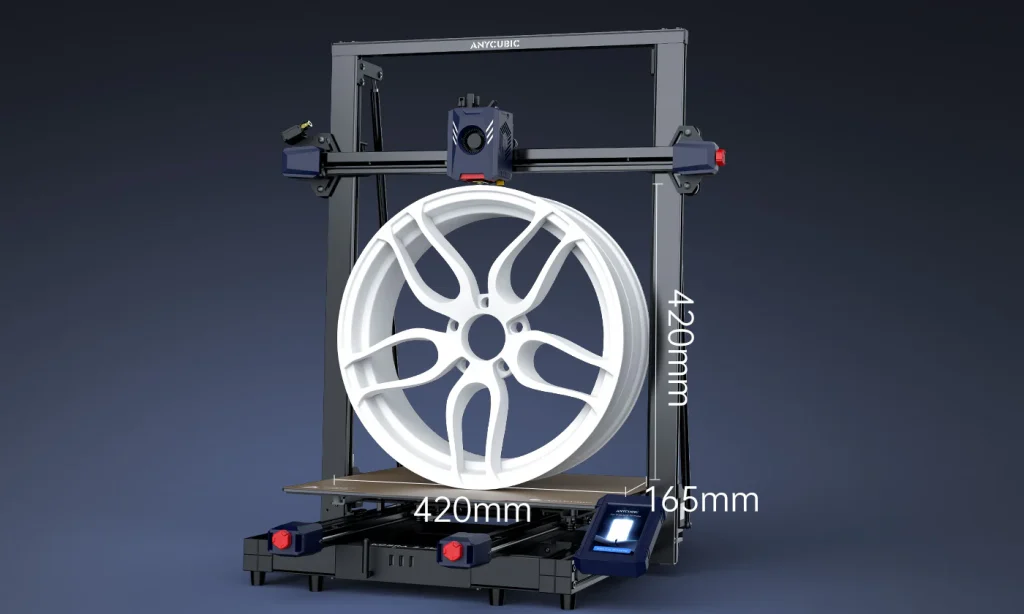
88L Large Volume
420*420*500mm large print size, capable of printing models with a volume of around 88 liters in one go.
LeviQ 2.0 Automatic Leveling
By designing a unique module, after automatic leveling, it can intelligently compensate for Z-axis offset, while also supporting custom Z-axis compensation values, meeting the needs of different users and usage environments. One-click quick start for creative ideas, ensuring successful printing.
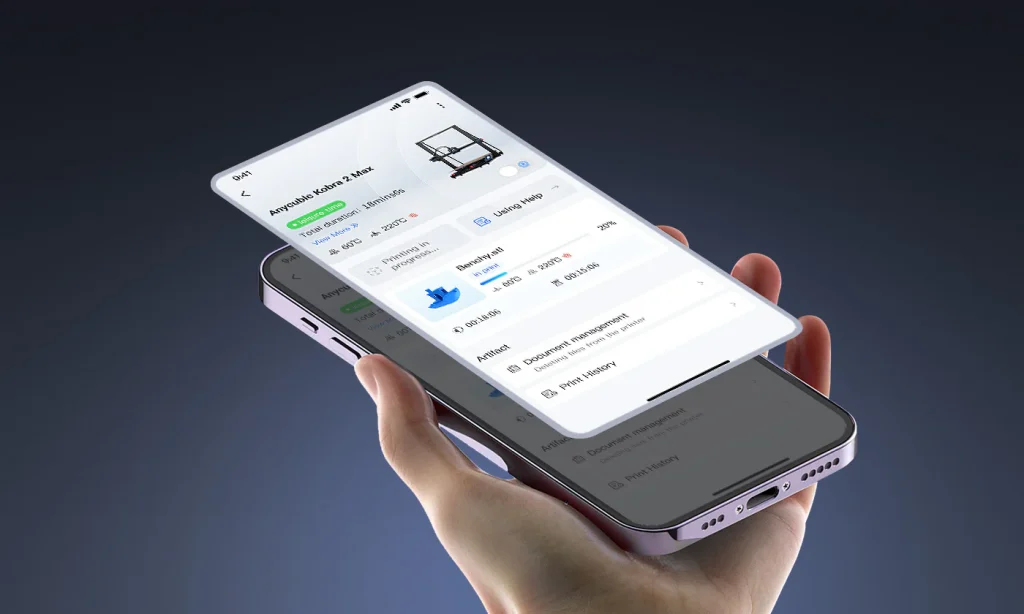
Smart APP Control
Firmware 3.0.5+ upgrade enables Anycubic APP with online model library, real-time video supervision, slicing, time-lapse recording, and remote control.
Anycubic Kobra 2 Max vs. competitors
The Kobra 2 Max’s main competitor is the Elegoo Neptune 4 Max, another budget-friendly large-format printer.
- Kobra 2 Max pros: Features a direct extruder, a larger build volume (420 x 420 x 500 mm), and effective auto-leveling in many cases.
- Elegoo Neptune 4 Max pros: Runs on an open-source version of Klipper firmware, allowing for full user control and customization.
The choice often comes down to whether a user prefers the more hands-off (though potentially more finicky) nature of the Kobra 2 Max or the tinkering freedom offered by the Elegoo Neptune 4 Max’s open firmware.
Specifications
| Core Printing Performance | |||
| Multicolor printing Supports single-filament color printing | Printing volume 420*420*500mm (88.2L) | Supporting Filaments PLA/ABS/PETG/TPU | Printing Speed Recommended 300 mm/s, Maximum 500 mm/s |
| Acceleration Maximum 10,000 mm/s² | Nozzle Specs Max Temperature 260°C, Diameter Standard 0.4 mm | Hotbed Specs Max Temperature 90°C, Material PEI spring steel build plate | |
| System & Mechanical Design | |||
| Firmware solution Kobra OS | Construction Gantry System | Extruder Type Short distance extrusion | Machine Leveling Auto Z-Offset |
| Pressure Advance / Flow Calibration Supported | Power Loss Resume Not supported | Filament Detection & Auto Resume Not supported | Filament Entanglement Detection Not supported |
| AI Spaghetti Detection Not supported | Object-Skip & Area Leveling Not supported | Control & Print Methods Via printer, slicing software, Anycubic APP, USB (print only) | |
| User Experience & Features | |||
| Touchscreen 4.3-inch capacitive touch screen | Noise – | Video Monitoring – | Multilingual Support EN / CN |
| Machine Weight 17.6kg | Package Weight 21.3kg | Product Dimensions 640*735*740mm | Packaging Dimensions 830*740*190mm |
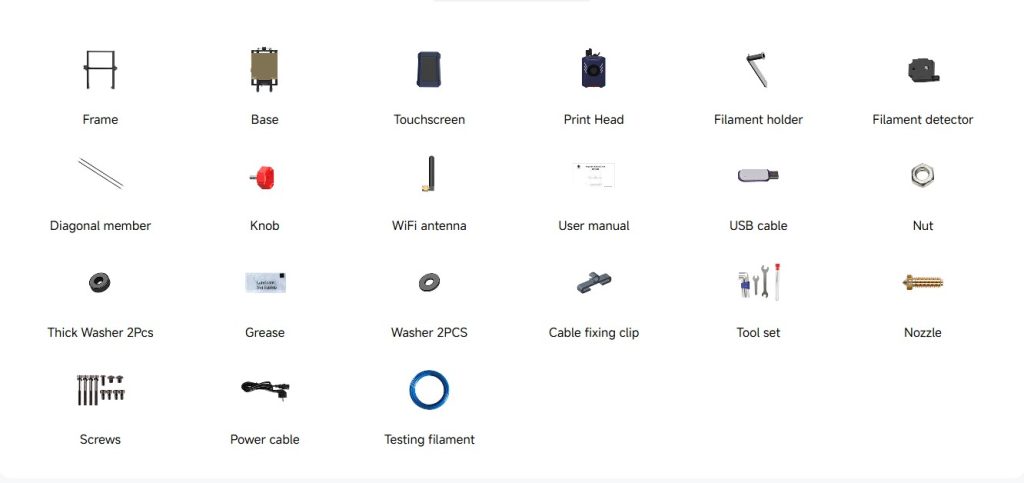
What’s In Box
Anycubic Kobra 2 Max: Pros and Cons
Kobra Max Series Tech Specs
| Anycubic Kobra 2 Max | Anycubic Kobra 3 Max | |
| Core Printing Performance | ||
| Multicolor printing | Supports single-filament color printing | Sold separately |
| Printing volume | 420*420*500mm (88.2L) | 420*420*500mm (88.2L) |
| Supporting Filaments | PLA/ABS/PETG/TPU | PLA/PETG/TPU |
| Printing Speed | Recommended 300 mm/s, Maximum 500 mm/s | Recommended 300 mm/s, Maximum 600 mm/s |
| Acceleration | Maximum 10,000 mm/s² | Maximum 10,000 mm/s² |
| Nozzle Specs | Max Temperature 260°C, Diameter Standard 0.4 mm | Max Temperature 300°C, Diameter Standard 0.4 mm, expandable to 0.2 / 0.6 / 0.8 mm |
| Hotbed Specs | Max Temperature 90°C, Material PEI spring steel build plate | Max Temperature 90°C, Material PEI spring steel build plate |
| System & Mechanical Design | ||
| Firmware solution | Kobra OS | Kobra OS |
| Construction | Gantry System | Gantry System |
| Extruder Type | Short distance extrusion | Short distance extrusion |
| Motion System | X-axis Dual shaft core + SG15 bearings | Dual shaft core + SG15 bearings |
| Motion System Y-axis | Dual shaft core + SG15 bearing + dual motor | Dual shaft core + SG15 bearing + dual motor |
| Motion System Z-axis | Dual motor dual screw | Dual motor dual screw |
| Machine Leveling | Auto Z-Offset | LeviQ3.0 Auto-leveling, Z-Offset |
| Pressure Advance / Flow Calibration | Supported | Supported |
| Power Loss Resume | Not supported | Supported |
| Filament Detection & Auto Resume | Not supported | Supported |
| Filament Entanglement Detection | Not supported | Supported |
| AI Spaghetti Detection | Not supported | Supported |
| Object-Skip & Area Leveling | Not supported | Supported |
| Control & Print Methods | Via printer, slicing software, Anycubic APP, USB (print only) | Via printer, slicing software, Anycubic APP, USB (print only) |
| User Experience & Features | ||
| Touchscreen | 4.3-inch capacitive touch screen | 4.3-inch capacitive touch screen |
| Noise | – | ≤60dB (Standard mode) |
| Video Monitoring | – | – |
| Multilingual Support | EN / CN | EN / CN / DE / FR / IT / ES / RU / JP / KO |
| Machine Weight | 17.6kg | 19kg |
| Package Weight | 21.3kg | 22.1kg |
| Product Dimensions | 640*735*740mm | 706*640*753mm |
| Packaging Dimensions | 830*740*190mm | 830*700*205mm |
FAQs
What makes the Kobra 2 Max a “flagship” printer?
It’s a combination of its massive build volume (420×420×500 mm), high-speed printing capabilities, and user-friendly automated features.
How fast can it actually print?
While its top speed is 500 mm/s, a more realistic and reliable speed for quality prints is typically 150-300 mm/s.
What filament can I use?
It works with standard 1.75 mm filaments like PLA, PETG, and TPU. Printing materials like ABS is not recommended without a separate enclosure.
How does the auto-leveling work?
The LeviQ 2.0 system automatically maps 49 points on the bed and adjusts the Z-offset to ensure a perfect first layer.
Can I use third-party firmware or software?
The firmware is a closed system, so you cannot use third-party interfaces. However, it is compatible with popular slicers like Cura and PrusaSlicer.
What maintenance is needed?
Regular maintenance includes cleaning the build plate and checking for proper belt tension and nozzle clogs.