TLDR
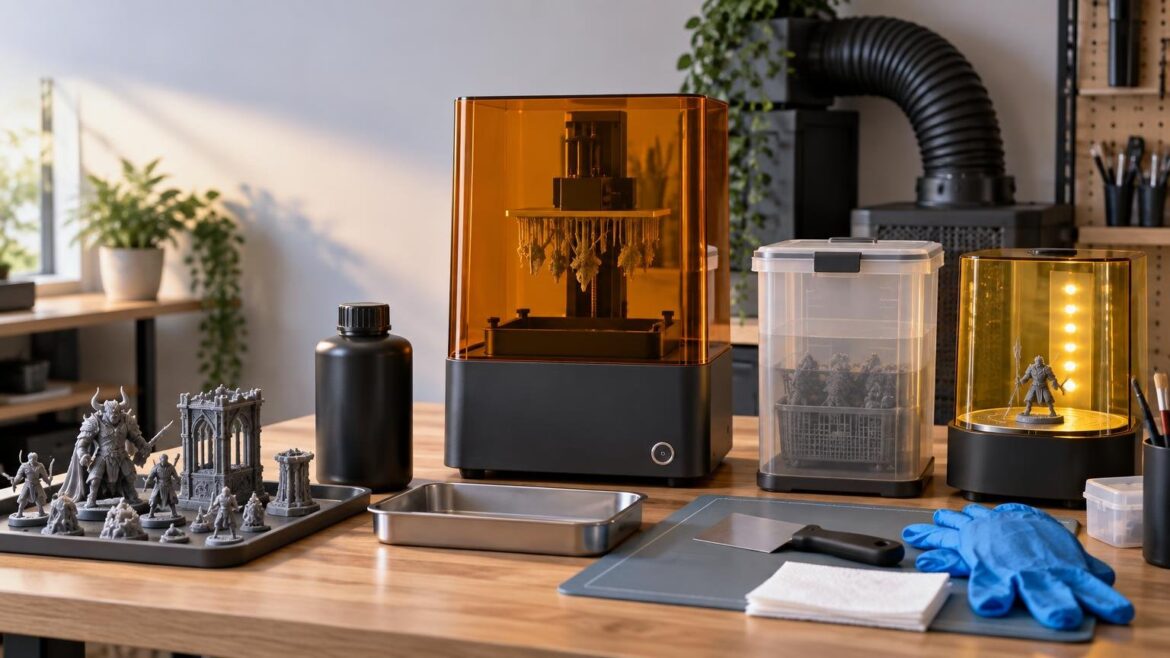
For shoppers searching for the best resin printer beginners can use for miniatures and small models, the Elegoo Mars 5 Ultra is the most sensible default from the models evaluated here. Its automatic leveling, compact build volume, monitoring features, screen protection, and accessible maintenance parts address practical beginner concerns. However, buy it only if you can also provide controlled ventilation, protective equipment, washing and curing equipment, spill management, and a responsible waste plan. If your only available location is a bedroom or shared living area, an FDM printer is the better first purchase.
The printer itself solves only the exposure and layer-control portion of resin printing. Every completed model must also be removed, washed, dried, cured, and handled without spreading uncured resin around the room. That full workflow—not the screen’s K rating—is what determines whether a machine is genuinely manageable for a beginner.
The best resin printer beginners should buy
The Elegoo Mars 5 Ultra is our provisional recommendation for a first-time buyer whose main goal is printing tabletop miniatures, figures, busts, and other highly detailed small models. Elegoo specifies a 153.36 × 77.76 × 165 mm build volume, 18 μm XY resolution, automatic leveling, tilt release, Wi-Fi and USB connectivity, a camera, resin-level and residue alerts, and a tempered-glass LCD protector. These features cannot prevent every failed print, but they reduce several setup and monitoring burdens that commonly distract new users.
Independent testing provides a useful reality check. Tom’s Hardware found the Mars 5 Ultra easy to use for gaming miniatures and praised its automatic functions and detail, but the reviewer initially had difficulty removing prints produced with the default settings. That is an important warning: automation makes setup easier, but it does not eliminate the need to tune exposure and bottom-layer settings for a particular resin. The independent Mars 5 Ultra review
The recommendation is intentionally conditional. There is no supplied evidence for a standardized cross-brand first-print success rate or universal reliability ranking. The Mars 5 Ultra is the strongest default here because its size and features align well with beginner miniature work—not because it has been proven to outperform every current resin printer in every workload.
Quick comparison: Mars 5 Ultra or Photon P1?
| Model | Best fit | Key advantages | Main caution |
|---|---|---|---|
| Elegoo Mars 5 Ultra | Most first-time miniature and small-model users | Compact 153.36 × 77.76 × 165 mm build volume, automatic leveling, monitoring features and screen protector | Default settings may still require adjustment, including for easier print removal |
| Anycubic Photon P1 | Buyers who need larger batches, larger models or a heated vat | 223 × 126 × 230 mm build volume, 14K monochrome LCD, heated vat, Wi-Fi and guided leveling | Higher-cost, more complex option; the reviewed dual-material slicing workflow showed glitches |
The Anycubic Photon P1 is the step-up choice, not the automatic beginner winner. A Tom’s Hardware review described its 223 × 126 × 230 mm build volume, 14K monochrome LCD, heated vat, Wi-Fi, guided leveling, and a $699 MSRP at the time of review. The same review found setup approachable but reported glitches in the dual-material slicing workflow and noted that the advanced dual-material capability would not benefit every buyer. The Photon P1 hands-on review
Choose the P1 when you can name the reason you need it. Its larger plate can accommodate bigger parts or more miniatures per batch, while the heated vat may help buyers working in a controlled but cooler environment. Those benefits can matter for production-oriented users. They do not automatically justify greater expense and workflow complexity for someone printing one or two gaming miniatures at a time.
Before buying, decide whether resin printing fits your space
Desktop vat-photopolymerization printing creates handling considerations throughout resin dispensing, printing, resin recovery, solvent cleaning, curing, and sanding. NIOSH recommends controls that include ventilation, appropriate personal protective equipment, and clean work practices. Its Safe Desktop Vat Photopolymerization 3-D Printing guidance is worth reading before ordering a machine, not after the first spill.
A covered printer is not a complete exposure-control system. Nor should a small carbon filter or low-odor resin be treated as permission to run the machine in an uncontrolled living area. Plan the location around the entire process: opening resin bottles, removing wet prints, draining the build plate, washing parts, curing them, cleaning tools, and storing contaminated consumables.
A bedroom, kitchen counter, shared office, or primary living area is not a responsible default recommendation. A more suitable setup has controlled ventilation, a stable nonporous work surface, restricted access, room for separate dirty and clean zones, and storage that keeps resin and contaminated tools away from children, pets, food, and household items. If you cannot create that workflow, choose FDM for now rather than trying to make resin fit an unsuitable room.
What you need besides the printer
Budget and plan for the complete setup before comparing sale prices. A low printer price can be misleading if it leaves no room for the equipment needed to handle prints properly.
- Compatible resin and its current safety data sheet
- Chemical-resistant nitrile gloves, with replacements available
- Eye protection appropriate for splash risks
- Controlled ventilation and a defined resin-handling workspace
- A washing setup compatible with the selected resin and cleaning liquid
- A curing setup that exposes all surfaces as evenly as practical
- Silicone mats or trays to contain drips and simplify cleanup
- Dedicated scrapers, cutters, funnels, strainers, containers, and paper products
- Spill supplies and sealable containers for contaminated waste
- A disposal plan that follows resin instructions and applicable local rules
A combined wash-and-cure station is not strictly required, but it usually creates a more repeatable beginner workflow than improvised open containers and a loose UV lamp. The benefit is organization and consistency, not immunity from safe handling. The wash liquid, basket, lids, tools, and uncured model surfaces should still be treated as contaminated until the process is complete.
Water-washable resin also does not make the liquid safe to pour down a drain. “Water washable” describes the cleaning method, not permission to release uncured resin into household wastewater. Keep contaminated washing liquid contained and follow the resin manufacturer’s safety documentation and local disposal requirements.
What beginner-friendly actually means
Resolution specifications are easy to advertise, but they describe only part of the printing system. A higher K count does not prove that a machine will produce visibly better miniatures under normal viewing conditions. Pixel size, optics, exposure control, release behavior, resin choice, support placement, model orientation, slicer settings, and mechanical stability all affect the result.
For a first machine, prioritize features that simplify ownership rather than features that merely enlarge the specification sheet:
- Straightforward leveling or a well-documented automatic leveling system
- Reliable manufacturer-supported slicer profiles for common resins
- Warnings that can identify low resin or possible debris before damage occurs
- A protected LCD and a vat that is practical to inspect and clean
- A build plate that is large enough for the intended models but still easy to handle
- Clear maintenance instructions and obtainable consumable parts
- A workflow that remains useful without experimental or unfinished software features
Elegoo’s Mars-series catalog has listed Mars 5 Ultra-related release film, resin tanks, build plates, and LCD screens. That is encouraging because release films and screens are ownership items rather than permanent components, while vats and build plates can be damaged or become useful spares. Listings do not guarantee that every part is currently in stock in every region, so verify availability and shipping cost before buying. Elegoo’s Mars-series parts catalog
How much build volume does a beginner need?
A Mars-size printer is sufficient for many tabletop miniatures because models can be arranged in batches and larger multipart designs can be printed as separate pieces. A compact vat also uses less resin to reach a workable fill depth than a substantially larger vat, although actual consumption depends on the model and supports.
Larger build volume becomes worthwhile when your normal workload includes large busts, vehicle sections, terrain components, or full plates of figures. Remember that a larger plate also increases the consequences of an overloaded or poorly supported batch. Printing twelve models at once is faster only if the plate succeeds; one support or release problem can waste more resin and cleanup time than a smaller test batch would.
Define a realistic weekly workload before paying for capacity. If you expect to print two character miniatures and several small accessories, the Mars 5 Ultra offers ample room. If you need frequent production batches or larger single pieces, the P1’s dimensions are materially more useful. Buy for repeated jobs, not the largest downloadable model you might someday attempt.
A practical first-week workflow
- Read the printer manual, resin safety data sheet, and cleaning-product instructions before filling the vat.
- Set up the dirty zone, washing area, curing area, waste containers, gloves, and spill supplies before opening the resin.
- Update firmware only through the manufacturer’s documented process, then use a manufacturer-supported printer and resin profile as the starting point.
- Inspect the vat and screen area for debris or damage, confirm the build plate is secure, and complete the prescribed leveling procedure.
- Run a small exposure calibration model rather than filling the plate with miniatures immediately.
- Change one setting at a time and record the resin, layer height, exposure settings, room conditions, and outcome.
- Print one supported miniature that represents your intended workload. Inspect fine details, supports, base adhesion, and surface damage from support removal.
- Wash and cure the part according to the material instructions, then label and retain the successful profile before attempting a larger batch.
Documentation is especially valuable because resin behavior can change with formulation, temperature, layer height, and model geometry. A saved profile with a note explaining why it worked is more useful than a random collection of exposure values copied from unrelated users.
If the first print fails
When a print sticks to the release film instead of the build plate, stop and inspect rather than immediately starting another job. Remove and filter the resin as directed by the manufacturer, check the vat for cured fragments, and clean it without using tools that could puncture the film. Confirm that the plate is clean and correctly installed, then revisit leveling, supported profile selection, bottom exposure, lift behavior, and room conditions.
If the model adheres so aggressively that removal damages the print or feels unsafe, do not simply apply more force. Verify that you selected the correct printer and resin profile, and adjust the relevant bottom-layer settings gradually. The independent Mars 5 Ultra review’s difficult initial removal is a reminder that a successful print can still expose an unsuitable default setting.
Repeated failures can also indicate damaged release film, debris, incorrect supports, poor orientation, or a loose component. Change one variable per test. That approach is slower for one print but much faster than losing several full plates without knowing which adjustment mattered.
Common beginner questions
Do I need a wash-and-cure station?
No, but you do need effective washing and curing methods. A combined station usually makes the process tidier and more repeatable, which is valuable for a beginner. Include it in the initial budget unless you already have a controlled alternative that is compatible with the resin.
Does a higher-K screen automatically produce better miniatures?
No. K count describes the number of pixels across the display, not the complete printing outcome. Compare pixel dimensions and print results, then consider resin, exposure, supports, release behavior, and workflow. A well-calibrated lower-resolution system can produce a better model than a higher-resolution printer running a poor profile.
Is a heated vat necessary?
Not for every buyer. It can be useful when a resin benefits from controlled warmth or the workspace tends to be cool, but it does not replace appropriate room controls or resin-specific calibration. Do not pay a large premium for it unless it solves a condition you actually face.
Can water-washable resin go down the drain?
Do not assume that it can. Washing water may contain uncured resin. Contain it and follow the product’s safety documentation and applicable local waste rules rather than treating it like ordinary household water.
Should I buy FDM instead?
Choose FDM if you lack an appropriate resin workspace, prefer simpler post-processing, or mainly print larger functional parts and terrain where ultra-fine surface detail is not the priority. Resin is compelling for miniature-scale detail, but it is not the better beginner technology when its handling requirements conflict with your home, classroom, or workshop.
The final recommendation
Buy the Elegoo Mars 5 Ultra if your main workload is miniatures or small detailed models and you can support the complete resin workflow. Its compact capacity, automatic leveling, alerts, camera, connectivity, screen protection, and listed replacement parts make it a practical starting point, while the reported print-removal issue is manageable through careful profile testing rather than blind reliance on defaults.
Choose the Anycubic Photon P1 only when its larger build volume, heated vat, or advanced material capability answers a defined need worth the added cost and complexity. Before ordering either machine, check current pricing, regional support, slicer compatibility, firmware status, warranty terms, and replacement-part stock.
Most importantly, choose the workspace before the printer. If you can ventilate, protect, wash, cure, clean, store, and dispose responsibly, the Mars 5 Ultra is a strong first resin machine. If you cannot, postponing resin or starting with FDM is the better buying decision.
References
- Elegoo Mars 5 Ultra – Best Beginner's Dream Resin 3D Printer – ELEGOO US
- Elegoo Mars 5 Ultra Review: Gaming Miniatures Made Easy | Tom's Hardware
- Anycubic Photon P1 Review: Dual Color/Dual Material, Tech Loaded | Tom's Hardware
- Safe Desktop Vat Photopolymerization 3-D Printing
- Mars Series 3D Printer Spare Parts & Accessories – ELEGOO US