TLDR: choose around the part, material, and workflow
The best large format 3d printer is not automatically the machine with the biggest advertised build volume. Choose the Creality K2 Plus if you need an enclosed 350 mm-class platform for a wider range of materials; the Anycubic Kobra 3 Max if one-piece size is the priority; or the Prusa XL+ if independent toolheads matter more than maximum bed area. Treat the Elegoo Neptune 4 Max as a lower-cost contender that requires a fresh firmware and reliability check before purchase.
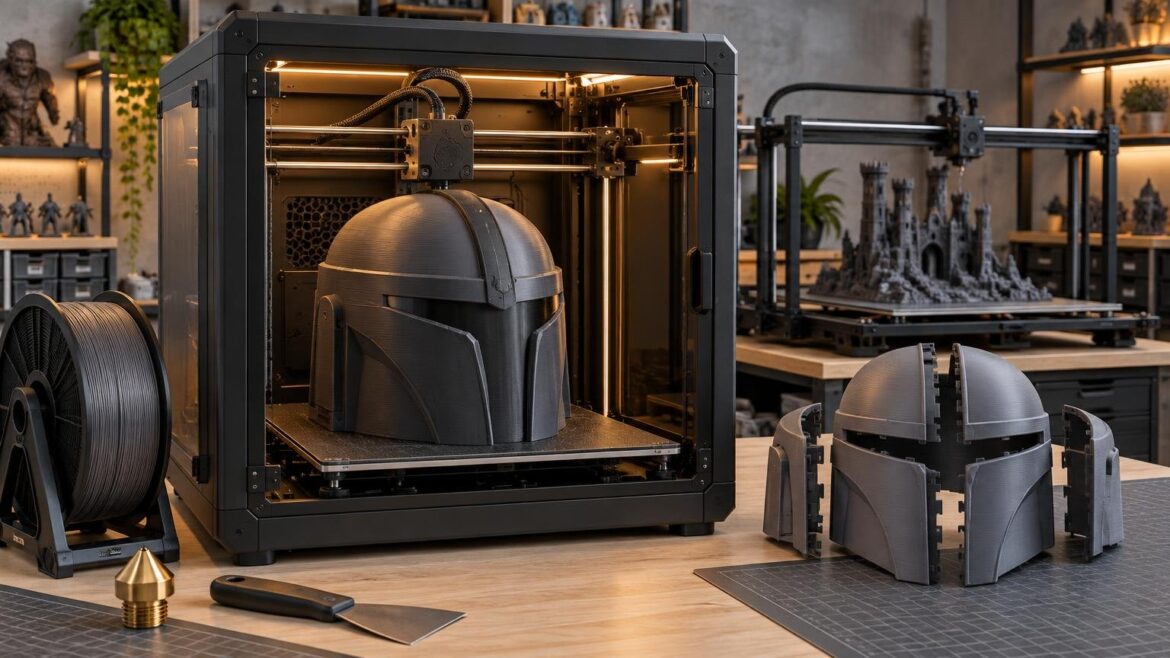
For most buyers, the decisive question is whether a planned part fits comfortably—not barely—after accounting for brims, supports, purge structures, and positioning margins. A 350 mm enclosed machine can be more capable than an open 420 mm machine when controlling warping matters. Conversely, a large PLA helmet or prop may benefit more from raw bed area than from chamber heating.
What counts as a large-format 3D printer?
There is no universal cutoff. For this guide, “large format” means a consumer or prosumer FDM/FFF printer offering roughly 300–360 mm on at least two axes. Machines with 420 mm or more on both X and Y fall into an extra-large consumer class. Always compare the complete X × Y × Z volume; a product described only as “350 mm” may not provide 350 mm on every axis.
Build volume also describes a geometric limit, not a promise that every model touching that limit will print successfully. A brim consumes horizontal room, supports can extend beyond a model, and a purge tower can occupy substantial bed area. Slicer limits, toolhead clearance, clips, calibration zones, and conservative edge margins may further reduce practical capacity.
Best large format 3d printer quick picks
- Best enclosed 350 mm-class option: Creality K2 Plus. Its 350 × 350 × 350 mm volume, 350°C nozzle, 120°C bed, and chamber heating rated to 60°C create a strong specification set for buyers moving beyond basic PLA projects. Confirm current firmware, package contents, and pricing before treating it as an automatic overall winner.
- Best for maximum one-piece consumer builds: Anycubic Kobra 3 Max Combo. The 420 × 420 × 500 mm volume provides substantially more horizontal and vertical capacity than the 350 mm class. Independent testing reported dependable automatic leveling over more than 600 print hours, with one clog, although long prints sometimes benefited from glue-stick adhesion support.
- Best premium multi-tool workflow: Prusa XL+. It offers a 360 × 360 × 360 mm volume and configurations with one to five toolheads. This is the option to investigate when separate tools for colors, support materials, or materially different filaments would improve the job.
- Budget contender requiring validation: Elegoo Neptune 4 Max. It combines a 420 × 420 × 480 mm volume with a 300°C nozzle, but an independent review documented firmware, leveling, noise, and high-speed consistency concerns. Some issues had reportedly been addressed through updates, making current evidence especially important.
Large-format printer comparison
| Printer | Build volume | Format | Thermal capability | Material system | Main caveat | Best fit |
|---|---|---|---|---|---|---|
| Creality K2 Plus | 350 × 350 × 350 mm | Enclosed | 350°C nozzle; 120°C bed; chamber rated to 60°C | CFS filament swapping | Large jobs need appropriate heat soak; CFS placement and purge waste affect workflow | Enclosed large parts and broader material ambitions |
| Anycubic Kobra 3 Max Combo | 420 × 420 × 500 mm | Open frame | Verify current published limits for the exact regional model | ACE Pro filament swapping | Long prints may need added adhesion; swapping can produce substantial purge waste | Very large PLA or PETG props and prototypes |
| Prusa XL+ | 360 × 360 × 360 mm | Open with optional enclosure | Optional enclosure; 50°C enclosure capability is distinct from a future external-heater configuration | One to five independent toolheads | Premium, complex system; verify the current enclosure and heater configuration | Multi-material or soluble-support workflows |
| Elegoo Neptune 4 Max | 420 × 420 × 480 mm | Open-frame moving-bed design | 300°C nozzle | Single toolhead | Independent review found firmware, leveling, noise, and high-speed consistency concerns | Value-focused buyers willing to validate current behavior |
| Bambu Lab H2S | 340 × 320 × 340 mm | Enclosed | 350°C nozzle; actively heated chamber rated to 65°C | Ecosystem-dependent multicolor options | Smaller on X and Y than the 350–420 mm leaders here | Controlled-material printing when extreme size is unnecessary |
These specifications come from current manufacturer listings and supporting reviews in the supplied research. They do not make advertised speed limits directly comparable. A maximum motion figure says little about full-bed adhesion, sustained flow, cooling, ringing, or the probability of completing a two-day print at acceptable quality.
The practical difference between 350 mm and 420 mm
Moving from a 350 × 350 mm bed to 420 × 420 mm adds 70 mm in each horizontal direction. Based on the nominal dimensions, that is about 44% more bed area—not merely a 20% increase in width. The extra room can determine whether a broad helmet, architectural model, enclosure panel, or terrain board prints flat or must be rotated and divided.
Do not buy from nominal dimensions alone. Export representative models to the slicer for every printer on your shortlist. Orient them realistically, generate supports, add the intended brim, and include any purge tower. Repeat this with your largest three projects. A machine is large enough only if the resulting jobs fit without fragile clearances at the edges.
A 420 mm bed also brings costs that are easy to overlook. It takes longer to heat, magnifies first-layer errors, needs a deeper and stronger bench, and moves more mass when used in a bed-slinger design. If only one future model needs that capacity, splitting the part may be the better ownership decision.
Enclosed CoreXY or a larger open-frame bed slinger?
An enclosed machine is usually the more practical starting point for ABS, ASA, and other materials that benefit from stable ambient temperatures. The enclosure reduces drafts, while active chamber heating can make conditions more repeatable. A high nozzle-temperature specification alone does not prove that a printer can handle every engineering filament; check the required chamber conditions, build surface, hotend components, ventilation, and manufacturer guidance for the exact material.
The K2 Plus pairs its enclosure with a 350°C nozzle, 120°C bed, and chamber heating rated to 60°C. Independent testing reported successful work with PLA, PETG, TPU, and ABS, while also observing that large prints needed suitable heat soaking. The full independent K2 Plus review is useful for understanding those workflow qualifications rather than reading the specification sheet in isolation.
Open-frame 420 mm printers make a different bargain. They provide more one-piece capacity and may cost less than a similarly sized enclosed platform, but the surrounding room becomes part of the printing system. Drafts, air conditioning, changing overnight temperatures, and incidental contact can all matter more. That trade is often reasonable for large PLA and PETG props, organizers, terrain, patterns, and visual prototypes.
Long-print reliability matters more than headline speed
A clean 20-minute benchmark is not evidence that a printer will finish a 24-, 48-, or 72-hour model. Large-format reliability starts with a repeatable first layer across the whole plate. It also depends on stable extrusion, sensible acceleration, filament management, adequate cooling, runout detection, and a spool containing enough material for the job.
Before committing to an expensive full-size print, run a staged validation process:
- Clean the build surface according to its manufacturer’s instructions, then complete bed leveling and any required mesh calibration.
- Print a thin first-layer pattern that reaches the center, corners, and edges rather than testing only a small central square.
- Run a medium-size part in the intended material and inspect adhesion, corners, dimensional behavior, and layer consistency.
- Test filament runout and power-loss behavior only if you intend to depend on those features. Recovery can leave a visible seam and is not a substitute for reliable power.
- For enclosed materials, allow the bed and chamber to reach stable conditions before starting the final job.
- Use a fresh or dried spool where the material requires it, and confirm that its winding and feed path will not create avoidable resistance.
The Anycubic Kobra 3 Max review provides a useful example of why duration matters: the reviewer reported more than 600 print hours and only one clog, but also found that long jobs benefited from additional adhesion support. That is more relevant to a large-project buyer than an isolated maximum-speed claim. See the independent Kobra 3 Max testing and workflow observations.
Multicolor swapping and toolchanging solve different problems
Filament-swapping systems such as Creality’s CFS and Anycubic’s ACE Pro can automate color changes through one nozzle. The convenience is real, but every swap may require purging the previous color. Swap-heavy objects can therefore consume more filament and take much longer than their single-color equivalents. Independent reviews of both systems documented meaningful purge waste.
On a large printer, multicolor is most convincing when the color changes occur by layer or in a limited number of regions. A large decorative object with thousands of swaps can turn automation into a time and waste penalty. Painting, assembling separately printed colors, or designing interchangeable inserts may be faster and cheaper.
The Prusa XL+ takes a different approach by offering up to five toolheads. Separate tools can reduce the need to unload and reload one nozzle, and they open more credible workflows involving distinct colors, dedicated support material, or differently configured nozzles. The value is not simply “more colors”; it is avoiding compromises when each material or feature benefits from its own tool. Prusa lists the enclosure separately, so buyers should distinguish the stated 50°C enclosure capability from a 60°C configuration that depends on an external heater described as an upcoming add-on.
Materials and nozzle size for genuinely large parts
PLA remains a practical choice for display props, terrain, patterns, and prototypes that will not face high heat. PETG can add toughness and temperature resistance, although its stringing and support behavior may demand more tuning. ABS and ASA make enclosure control more important because broad parts expose shrinkage and lifting that a small calibration model may hide.
A 0.6 mm or 0.8 mm nozzle can be a better production tool than the common 0.4 mm size for large functional or decorative parts. Wider lines can reduce the number of toolpaths and build thicker walls efficiently. The tradeoff is reduced ability to reproduce tiny features, plus a higher flow demand from the hotend. Use layer heights and speeds the printer can sustain rather than assuming a larger nozzle guarantees proportional time savings.
For helmets and props, a larger nozzle often makes sense when the surface will be filled, sanded, primed, and painted. For architectural details or intricate terrain, retain a smaller nozzle where edge definition matters. One printer can support both jobs if nozzle changes are straightforward and profiles are available or can be calibrated responsibly.
Check the operating footprint before ordering
The printer’s external dimensions are only the beginning. Moving beds require clearance through their full travel, and doors or lids need room to open. Multicolor units require their own shelf space and accessible filament paths. A large machine may also be too heavy or awkward for a lightweight desk.
- Measure the full operating depth, including moving-bed travel, cables, rear spool holders, and connectors.
- Allow overhead and front clearance for doors, lids, toolhead access, and maintenance.
- Check whether the multicolor unit can sit where the feed tubes maintain acceptable bends.
- Use a rigid, level bench that does not amplify rapid motion.
- Plan ventilation appropriate to the materials rather than assuming an enclosure alone manages emissions.
- Keep the machine where a failed print can be noticed without placing it in a busy walkway or sleeping area.
- Confirm the delivered package can pass through doors, stairs, and workshop entrances.
When buying smaller and splitting the model is smarter
A larger printer is justified when one-piece production repeatedly saves assembly labor, preserves strength, or improves surface quality. It is harder to justify for one oversized project followed by years of ordinary prints. Smaller parts can be oriented for strength, replaced individually after failure, packed more efficiently on the bed, and printed in parallel if you eventually add another machine.
Split a model when seams can be hidden along panel lines, edges, armor joints, or natural terrain boundaries. Add alignment pins, dovetails, screw bosses, or broad bonding surfaces in the design. For a helmet, first verify the head opening and internal clearance; the widest exterior dimension alone does not determine fit.
Buy the larger platform when your recurring workload cannot be divided without unacceptable weak points, dimensional errors, finishing time, or visible seams. In a business setting, calculate the labor saved per project rather than treating bed size as an abstract upgrade.
Common large-format buying questions
Is a 350 mm printer large enough for a helmet?
Often, but not always. Helmet proportions, wall thickness, orientation, supports, and brim width all matter. Load the exact wearable model into the target printer’s slicer and size it to the intended user before buying.
Do I need an actively heated chamber?
Not for ordinary PLA work. It becomes more relevant when large parts use materials that shrink significantly as they cool. Match the chamber capability to the filament manufacturer’s requirements, and account for ventilation and component temperature limits.
Can I use every millimeter of the advertised volume?
Do not plan around that assumption. Brims, supports, purge towers, slicer restrictions, and edge behavior can reduce usable space. Validate each representative job in the correct slicer.
Is multicolor worthwhile on a large printer?
It is worthwhile when automated color placement saves meaningful finishing or assembly work. It is less attractive when thousands of changes create excessive purge waste and extend an already long print.
The final choice
Start with three real models, not a feature checklist. If they fit a 350 mm bed and you want controlled conditions for demanding materials, shortlist the Creality K2 Plus and verify its current firmware and package. If they genuinely require a 420 mm bed, examine the Anycubic Kobra 3 Max first for one-piece capacity, while accepting the open-frame workflow. Choose the Prusa XL+ when multiple independent tools can repay their premium through better material handling or reduced swapping. Consider the Neptune 4 Max only after confirming that current firmware and leveling behavior meet your tolerance for setup.
The best purchase is the smallest machine that reliably completes your recurring parts in the required material. Extra bed area is valuable when it removes a real production constraint; otherwise, it increases heating time, workspace demands, and the consequences of a failed print.
References
- K2 Plus Combo 3D Printer | Large Format 3D Printer | Creality Official
- Creality K2 Plus Review: Now in Color | Tom's Hardware
- store.anycubic.com
- Anycubic Kobra 3 Max Combo | Tom's Hardware
- Prusa XL+ Single-Tool | Original Prusa 3D printers directly from Josef Prusa
- ELEGOO Neptune 4 Max FDM 3D Printer – ELEGOO US
- Elegoo Neptune 4 Max Review: Bigger, Buggy and a Bit Faster | Tom's Hardware
- Bambu Lab H2S | Large Format 3D Printer | Bambu Lab US Store
- www.prusa3d.com