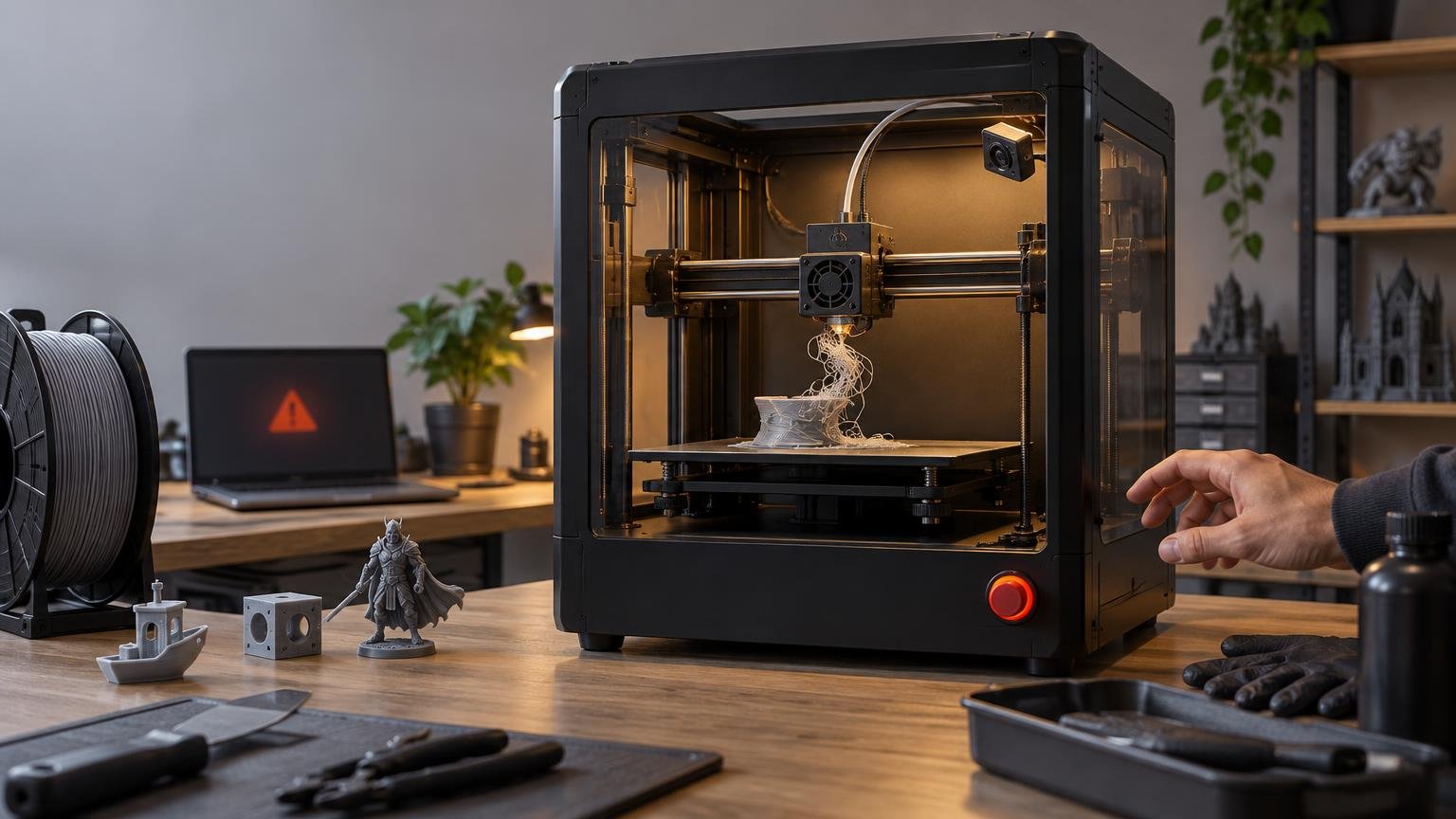
A printer camera with AI failure detection can replace repetitive visual check-ins during a stable FDM job. It can watch for visible problems, send an alert and, on some systems, pause the printer before a failed part consumes the rest of the spool. It does not replace first-layer verification, correct slicing, preventive maintenance, diagnosis or someone being available to respond when the system is uncertain.
The practical expectation is an automated spotter, not an autonomous operator. That distinction matters most on overnight jobs, large parts and print farms, where even a delayed alert can save material and machine time—but a missed failure can still continue unattended.
What a printer camera actually replaces
A basic camera replaces walking over to the printer for a visual status check. You open a live view and decide whether the part still looks healthy. Time-lapse recording can also help you inspect when a failure began, although it may not reveal why it happened.
AI monitoring adds image analysis. Instead of waiting for you to inspect the feed, the system looks for visible patterns associated with failed deposition. Depending on the printer or monitoring service, it may issue a warning, recommend a pause or pause automatically.
Bambu Lab, for example, lists the X1 Series chamber camera as a 1920 × 1080, 30 fps unit with remote viewing, time-lapse recording and AI spaghetti detection. When that detection identifies a failure, the printer pauses and waits for user input. Those are separate capabilities: camera resolution and frame rate describe the video feed, while the AI feature determines how images are interpreted and whether the printer acts.
Camera support alone therefore does not prove that a printer includes AI failure detection. Prusa Connect has documented Camera API support, but that image infrastructure does not mean every compatible Prusa printer natively analyzes the feed for failures.
| Supervision task | How much a camera and AI can replace | What still needs a person |
|---|---|---|
| Checking whether a long print is still running | Largely, if remote viewing and notifications are reliable | Review an unclear image or respond to an alert |
| Watching for visible spaghetti or a detached part | Partly to substantially, depending on the system and camera view | Confirm the detection and decide whether the part is recoverable |
| Approving the first layer | Only partly | Check adhesion, extrusion and critical small features before leaving |
| Finding the root cause | Very little | Inspect the part, toolhead, build plate, material and slicer settings |
| Correcting a failure | None | Clear debris, clean the plate, repair the machine or restart the job |
| Maintaining safe operation | None | Follow the printer manufacturer’s operating and installation requirements |
What AI failure detection can see
Visual monitoring works best when a failure produces a large, recognizable change inside the camera’s field of view. Common examples include a nest of loose filament, a part that has detached from the build plate, a collapsed section or an expanding clump around the nozzle. OctoEverywhere lists spaghetti, bed-adhesion, layer and shell issues among the problems its service seeks to identify, although that vendor-described scope should not be treated as a standard shared by every system.
Some printer platforms divide the job among multiple cameras or detectors. Bambu Lab’s H2D manual describes spaghetti detection, build-plate checking through the live-view camera and air-print detection through a nozzle camera. This illustrates why a generic “AI camera” label tells buyers too little: detection coverage depends on which camera observes which area and which failure classes the software was designed to recognize.
A visual signature is not the same as a diagnosis. Loose filament may follow poor bed adhesion, a collision, insufficient support, a clogged nozzle or another process problem. The camera can show that deposition has gone wrong without proving the underlying cause.
Detection is useful, but it is not instantaneous
AI systems commonly examine how the print changes across successive images rather than acting on every unusual frame. Requiring a suspicious condition to persist reduces nuisance pauses, but it also creates a delay between the first visible defect and the alert.
OctoEverywhere documents separate confidence thresholds for warnings and pause recommendations. In its described process, a poor print-quality assessment may persist for roughly 30–80 seconds before a warning recommendation and 60–120 seconds before a pause recommendation. The higher pause threshold reflects the greater cost of interrupting a healthy job.
A controlled ETH Zürich evaluation of embedded visual print monitoring reported a median alert lag of 91 seconds after a failure first became visible. At the recommended threshold, the system detected 34 of 35 captured failures and produced false alarms on 3 of 24 successful prints. The authors also cautioned that many failures were induced using a single test object, so those results should not be generalized into a universal accuracy rate for consumer printers.
Another published convolutional-neural-network study reported detecting 96% of abnormal deposition events involving spaghetti-shaped errors in its test setup. That is evidence that visual classification can work well under defined conditions, not proof that every retail AI feature will achieve the same result with different printers, models, materials and camera angles.
Why false alarms and missed failures happen
Every stopping system balances false positives against false negatives. A sensitive setting may catch trouble earlier but interrupt more healthy prints. Requiring more consecutive positive frames can improve confidence while allowing a real failure to grow for longer. University of Twente researchers describe this trade-off and treat the required number of consecutive positive frames as a tunable parameter. Their explanation of visual print stopping systems is a useful model for understanding why no confidence setting eliminates both types of error.
Normal geometry can look like spaghetti
Thin infill, narrow supports and isolated strands can resemble the visual patterns created by failed extrusion. The ETH Zürich evaluation identified approximately one-strand-wide infill or support structures as its main source of false alarms. Detailed bed graphics, filament scraps and background objects can also confuse some monitoring software.
The camera may not have a usable view
Good lighting, focus and an unobstructed view of the build area are prerequisites, not cosmetic extras. A camera aimed too low may lose sight of a tall print. A toolhead or enclosure frame can hide a small part. A wide-angle view may cover the whole plate while devoting too few pixels to a distant defect. Both monitoring documentation and research identify camera and viewing conditions as performance factors.
Material color matters as well. Bambu Lab’s H2D manual says adequate lighting is required for AI detection and warns that spaghetti-detection performance may be reduced with black or dark-colored materials. It also notes that false positives can occur.
Software context can be wrong
Built-in detection may depend on printer-specific assumptions about the expected job. The H2D manual warns that third-party slicers or G-code intended for other printer models can cause detection functions to malfunction. Buyers who rely on custom slicers, modified firmware or unusual workflows should verify whether the monitoring feature still receives the information it expects.
When you should still watch the printer yourself
The first layer deserves direct attention because it establishes the foundation for everything that follows. AI may recognize an obvious detached part, but a human can notice subtler warning signs: a contaminated patch on the plate, inconsistent extrusion, a lifting corner or small features that are present but poorly formed. Check the complete first layer on a new or high-consequence job before treating the camera as the primary observer.
Stay closer when using a new material, nozzle, build plate, slicer profile or unusually complex model. These changes increase uncertainty, while an image classifier still judges only what appears in its view. The same caution applies after maintenance or a hardware change: confirm that extrusion, motion and adhesion are normal before delegating routine check-ins.
Long and large-format prints benefit greatly from remote monitoring because frequent in-person checks are impractical. They also magnify the cost of a late alert. If build volume is central to the purchase, evaluate monitoring as one part of the broader large-format printing workflow, alongside usable bed area, reliability and workspace requirements.
AI monitoring should not be treated as a substitute for the operating precautions specified by the printer manufacturer. A vision system recognizes selected image patterns; it is not a general-purpose safety device and cannot physically clear debris, correct a loose connector or inspect something outside its field of view.
How to evaluate AI monitoring before trusting it
- Start with notifications enabled and automatic pauses disabled, if the system provides that choice. This lets you observe its judgment without sacrificing healthy prints to every early false alarm.
- Run familiar, low-risk models with ordinary supports, infill and build-plate conditions. Note whether normal geometry triggers warnings.
- Verify the entire intended build area remains visible, including the nozzle region and the top of the tallest expected parts.
- Review how long it takes to alert after a problem is visibly underway. Detection rate without alert lag gives an incomplete picture.
- Introduce automatic pausing only after the system has shown acceptable behavior for your recurring workload. Keep a way to inspect the image and resume a healthy print.
- Retest after moving the camera, changing enclosure lighting, switching to a dark filament or substantially changing model geometry.
This is the same principle that should guide broader printer testing: use repeatable real projects and record failed runs instead of rewarding a feature for working once under ideal conditions. Our guide to benchmarking FDM printers with real workloads provides a useful framework for evaluating consistency rather than relying on a polished demonstration.
What to look for when buying
If camera AI failure detection is an important part of your 3D-printer purchase, ask specific questions instead of checking a single feature box:
- Which failure types does the manufacturer or service explicitly claim to detect?
- Does the system merely notify you, recommend a pause or directly pause the printer?
- Can warning and pause behavior be configured separately?
- Does the camera clearly cover the full build area at the printer’s maximum height?
- Are adequate enclosure lighting and camera focus provided?
- Does performance change with dark filament, thin supports or visually busy build plates?
- Does detection still work with your preferred slicer and workflow?
- Can you inspect a live image before deciding whether to resume or cancel?
- What happens if the camera, network connection or monitoring service is unavailable?
Also budget for the fundamentals that reduce failures in the first place. Clean build surfaces, sound nozzles, correctly tensioned motion components and appropriate slicer settings do more than a camera to keep a printer reliable. Our breakdown of 3D-printer maintenance costs and wear parts can help separate useful monitoring upgrades from the recurring work the machine will still require.
The realistic supervision model
A good camera and AI system can replace many routine trips to the printer and shorten the time a visible failure runs unchecked. That is meaningful supervision relief, particularly for long jobs and multiple machines. It is not permission to ignore setup quality, leave uncertain first layers unverified or assume every pause is correct.
Use AI as the second set of eyes after you establish a reliable process. Watch the first layer, validate the monitoring system against your own workload, keep notifications actionable and review any detected failure before restarting. The best outcome is not a printer that supposedly needs no supervision; it is a workflow in which human attention is concentrated where it changes the result.
References
- Embedded Visual Print Monitoring with Automated Failure Detection
- Chamber Camera – X1 Series | Bambu Lab CA Store
- Prusa Connect – Camera API | Prusa Knowledge Base
- OctoEverywhere – The 3D Printer Cloud
- Free 3D Printing AI Failure Detection APIs – OctoEverywhere API Docs
- Bambu Lab H2D 3D Printing User Manual Chapter 6 Key Features Introduction
- Process API – OctoEverywhere API Docs
- Image-based failure detection for material extrusion process using a convolutional neural network | The International Journal of Advanced Manufacturing Technology | Springer Nature Link
- Article: Detecting 3d printing failures
- docs.printpal.io
- Gadget – Free & Unlimited AI Failure Detection For 3D Printing