
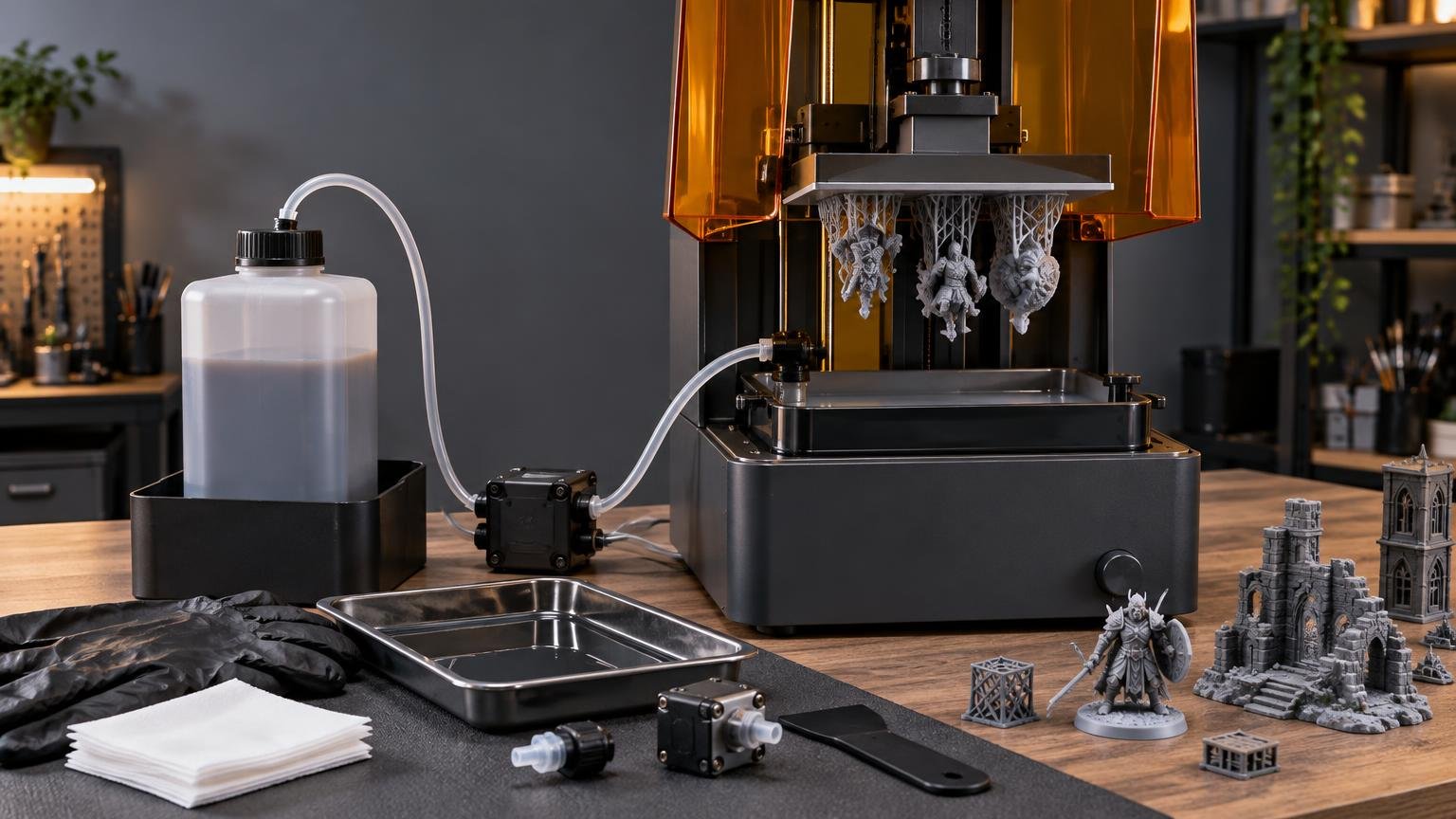
Automatic resin feeding is useful when you run long prints, consume resin in volume, or want to reduce manual pouring. It is much less compelling for an occasional hobby printer whose vat already holds enough resin for most jobs. The convenience is real, but so is the extra maintenance: pumps, tubing, bottle seals, sensors, and resin compatibility all become part of the ownership experience.
The practical verdict is simple: buy an auto-fill system for throughput or safer material handling, not because you expect resin printing to become hands-off. These systems can keep the vat supplied, and some can recover resin afterward, but they do not eliminate vat cleaning, spill management, ventilation, or personal protective equipment.
What an automatic resin system actually does
A typical consumer auto-fill system draws resin from an external bottle as the level in the vat falls. The implementation matters. Some systems only feed resin during a print, while bidirectional designs can also pump remaining resin back into the bottle after the job. Phrozen’s Pump & Fill, for example, responds to a minimum vat-level threshold and supports pumping resin back after printing.
Other printers integrate the same general idea into the machine. ELEGOO specifies a two-way feeding and recycling system for the Jupiter 2, using a 2 kg bottle and low-resin alerts. Creality describes the HALOT-MAGE PRO as filling and withdrawing resin through a tube placed in a container, with a claimed 1 L fill or recovery cycle taking no more than 30 minutes. That timing is a manufacturer claim rather than an independently established result.
Cartridge dispensing belongs in the same broad category but creates a different workflow. Formlabs printers automatically dispense from installed cartridges, while the optional Form 4 Resin Pump draws from a compatible 5 L container instead of the standard 1 L cartridge. The larger supply is intended to reduce cartridge changes and packaging waste. It is closer to bulk material delivery than a simple hobby-printer vat top-up accessory.
When auto-fill earns its place
The strongest use case is a print whose resin requirement approaches or exceeds the vat’s comfortable working capacity. A large model, densely packed build plate, or repeated production run creates more risk that the operator will need to check and refill the vat. Automatic feeding makes that workflow easier and can reduce the chance of a job stopping because the available resin ran low.
It also reduces how often resin must be poured from an open bottle. That is a meaningful advantage, not just a tidier desk. The NIOSH guidance for desktop vat photopolymerization notes that uncured resin may contain acrylates and other chemicals associated with dermatitis or asthma, and identifies automated dispensing as one way to reduce exposure during resin handling. Automation does not replace ventilation, suitable gloves, prompt spill cleanup, or the material-specific safety guidance.
Frequent users gain the most because a small saving repeated across many jobs can outweigh the cleaning overhead. A school lab, miniature-printing operation, or prototype shop may reasonably prioritize fewer bottle pours and fewer mid-job checks. Someone printing one small build each weekend is less likely to recover the time spent installing, flushing, inspecting, and storing the feeder.
The hidden cost is another resin path to maintain
A feeder adds components that must remain sealed, unobstructed, and compatible with the material. Anycubic’s Photon Mono M7 Pro documentation shows how many variables can affect operation: bottle installation, sealing, resin viscosity, and ambient temperature all matter. Its cleaning procedure calls for flushing the internal tubing with 95% alcohol by cycling the feed and retract functions.
That maintenance matters most when changing materials. A tube carrying one resin can retain enough residue to complicate the next material change, so users who switch frequently between colors or formulations should expect a flush-and-clean step. If you mainly run one compatible resin, the system is easier to justify because the material path can remain dedicated.
Include tubing and other feeder components when estimating 3D-printer maintenance costs. A low-priced printer with a proprietary feeder can become less attractive if replacement tubes, caps, or pump assemblies are difficult to obtain. Availability of ordinary wear parts is more important than an impressive automation label on the product page.
Compatibility can matter more than the pump specification
Before buying, confirm the exact printer model, bottle type, resin formulation, temperature range, and cleaning procedure supported by the manufacturer. Do not assume that a feeder accepting standard resin will handle every high-viscosity, filled, or specialty formulation. Also check whether the connection occupies a port needed by another accessory. On the Photon Mono M7 Pro, Anycubic documents that connecting the air purifier disables the auto-fill connection.
Auto-fill should not be confused with resin heating. A pump moves material; a heater changes its temperature. A printer may offer both, as the Jupiter 2 does with its automatic feed and recovery system plus a stated 30 °C heated resin tank, but one feature does not imply the other.
Treat untested automation claims cautiously. In its Photon Mono M7 Pro review, Tom’s Hardware could not evaluate the auto-fill feature because it did not function on the supplied review unit. That does not establish that the feature is generally unreliable, but it illustrates why a specification alone is not enough to judge the complete workflow.
What to check before paying for auto-fill
- Capacity: Decide whether your normal jobs actually require more resin than the vat can hold comfortably.
- Direction: Check whether the system only feeds resin or can also retract it after printing.
- Material support: Confirm compatibility with the exact resin formulations you intend to use.
- Cleaning process: Look for documented flushing steps, required cleaning fluid, and a straightforward way to disconnect tubing.
- Consumables: Check the replacement interval, price, and availability of tubes, seals, caps, and pumps.
- Accessory conflicts: Verify whether the feeder shares a connection with an air purifier, heater, or other device.
- Failure behavior: Determine whether the printer pauses, warns you, or continues when feeding fails or the supply bottle runs low.
First-time resin buyers should still prioritize the complete workspace over this one convenience feature. Ventilation, washing and curing equipment, gloves, spill control, and a workable cleanup area have a larger effect on daily ownership. Our beginner resin-printer setup guide explains why the printer itself is only part of the required system.
Useful automation, but only for the right workload
An automatic feeder is worth having when it supports long prints, repeated production, bulk resin use, or a deliberate effort to reduce open-bottle handling. A bidirectional system can add further convenience by recovering much of the remaining resin after a job.
For light use, frequent material changes, or a workspace where every extra tube is another cleanup problem, manual filling remains simpler. Choose resin printer auto-fill systems by the whole workflow: supported materials, dependable sealing, cleaning instructions, replaceable parts, and behavior when something goes wrong. The best system is not the one with the most automation. It is the one that removes more handling than it adds maintenance.
References
- Resin dispensing system | Formlabs
- Phrozen Pump & Fill – Automated Resin Feeder – Phrozen US
- Elegoo Jupiter 2 | Large Format 3D Printer | Auto Resin System – ELEGOO US
- HALOT-MAGE PRO 3D Printer | Creality Official
- Form 4: The Fastest Professional Resin 3D Printer | Formlabs | Formlabs
- Resin Pump (Form 4) | Formlabs
- Safe Desktop Vat Photopolymerization 3-D Printing
- PowerPoint 演示文稿
- Auto-fill unit cleaning guide | Anycubic Wiki
- PowerPoint 演示文稿
- Install the Inlet Unit
- Anycubic Photon Mono M7 Pro Review: Super Fast Resin | Tom's Hardware